
Plus and Max
The app is free forever, with no trial period. After you install it, you get a week of Plus as a gift, and another week for every friend you invite. When the gift weeks run out, Apple Watch, the game report and “Form”, additional Paddy features and AI features are available only in Plus and Max. Everything else stays free.
What you can do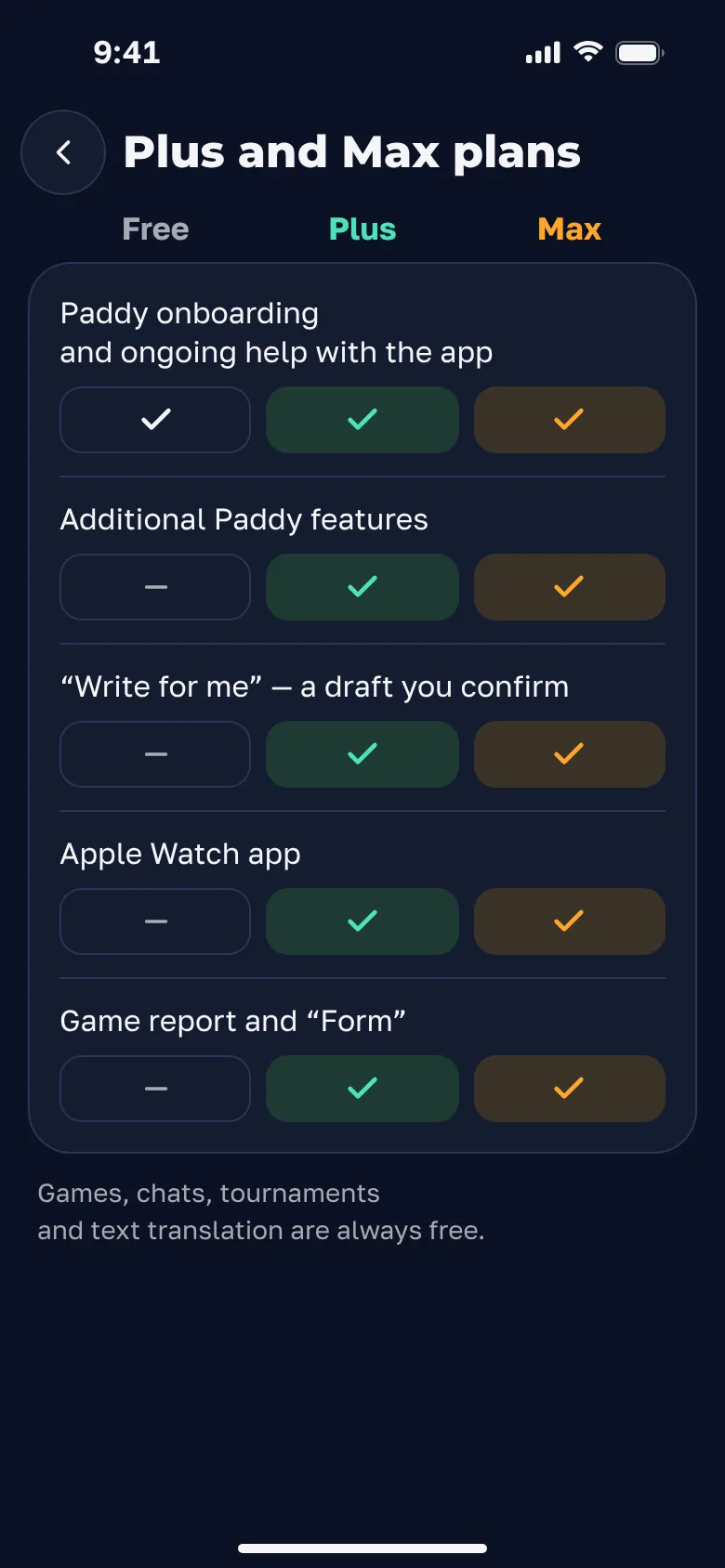

Plus and Max
Padelada is free for good, with no trial period. Plus and Max are two paid plans for those who want more from Paddy and Apple Watch.
Free for everyone: games, chats, tournaments, level and rating, text translation, photos and video in chats, and Paddy’s help with the app. Only in Plus and Max: Paddy doing things for you, “Write it for me”, the Apple Watch app, the game report and “Form”.
How to compare Free, Plus and Max
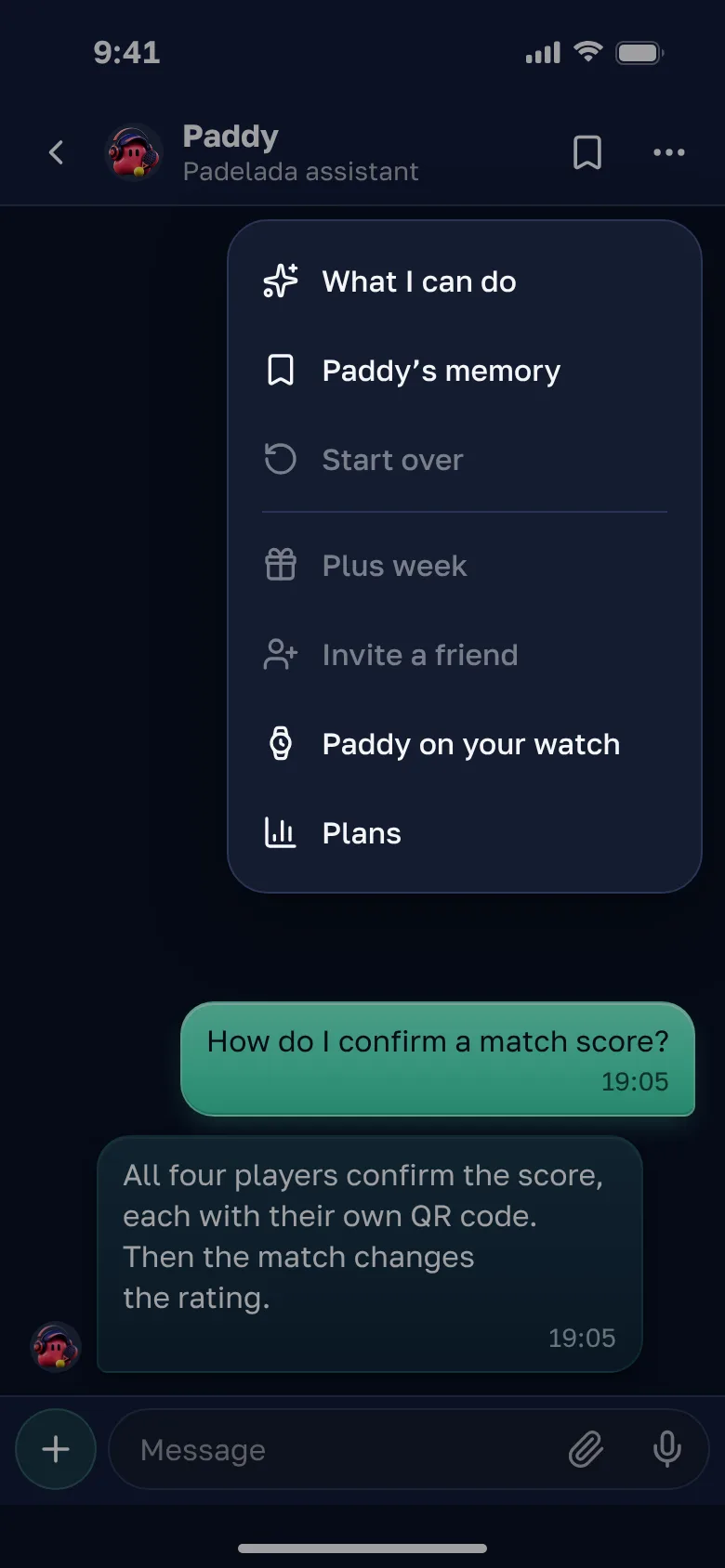
1. Open Paddy, tap “…” at the top right and choose “Plans”.
2. At the top you see what is in Free, Plus and Max. A tick means included, a dash means not included.
Plans also open from your profile: the “Padelada Plus” card → “See plans”.
How to get Plus or Max
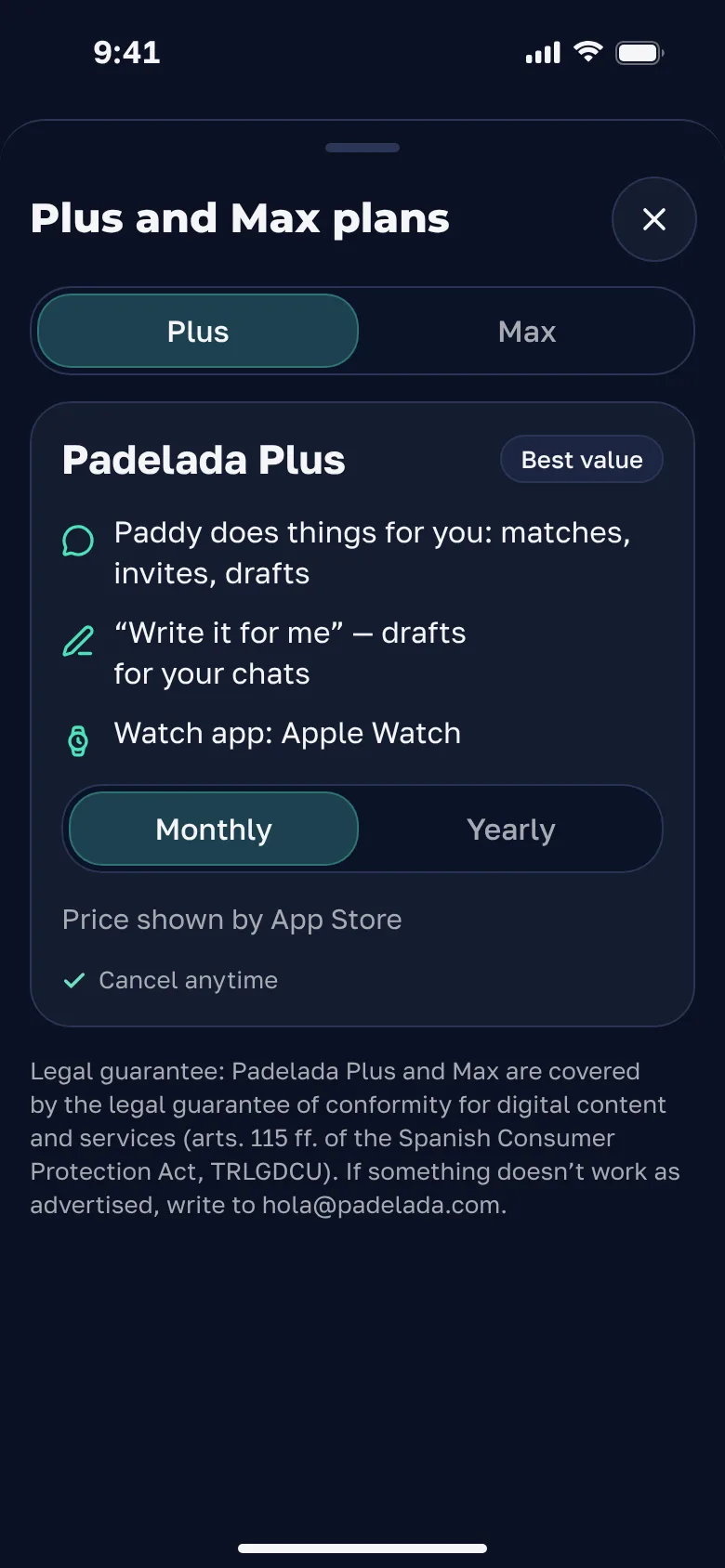
1. Choose the “Plus” or “Max” tab. Below, you see what the plan includes.
2. Choose the term: “Monthly” or “Yearly”. The App Store shows the price.
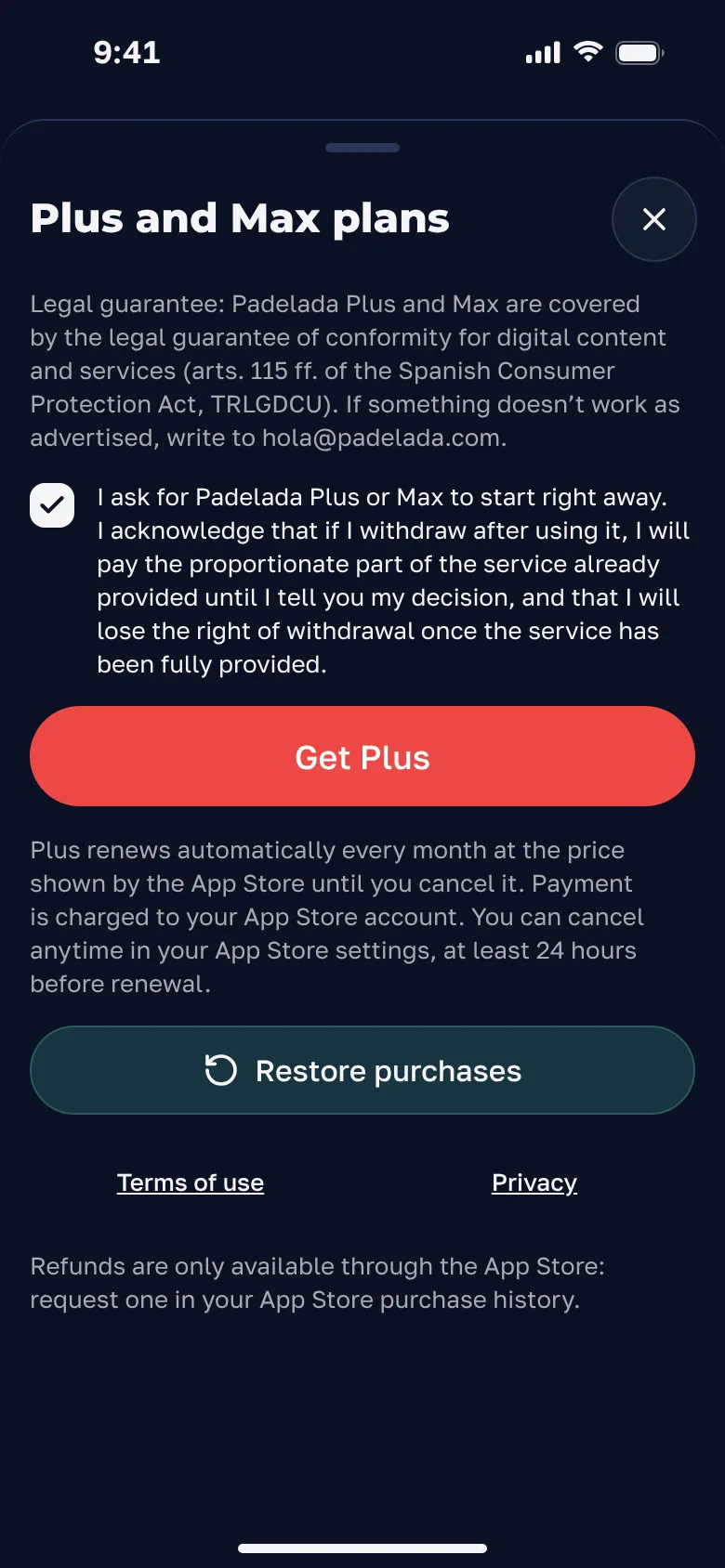
3. Tick the request to start right away. Without the tick, the button can’t be tapped.
4. Tap “Get Plus” and confirm the purchase in the App Store.
The subscription renews by itself until you cancel it. You can cancel at any time in your App Store settings, at least 24 hours before renewal.
How to change your plan or cancel
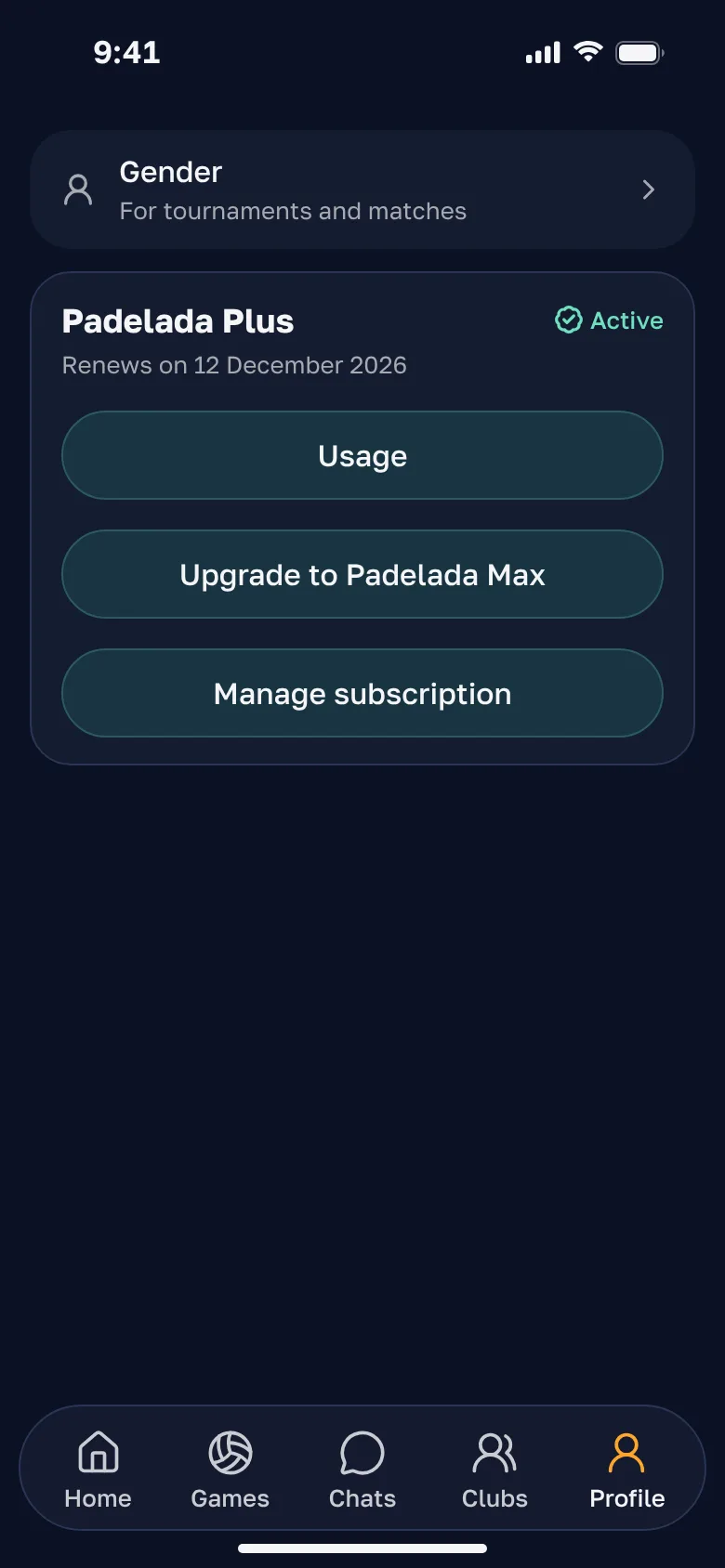
1. In your profile, the “Padelada Plus” card shows your plan and the renewal date. “Usage” shows how many Paddy messages you have left.
2. “Upgrade to Padelada Max” changes your plan.
3. “Manage subscription” opens your subscription in the App Store, where you can change the term or cancel.
After you cancel, the plan works until the end of the paid period. Then you are on Free: games, chats and text translation stay.
How to restore purchases
1. New iPhone, or reinstalled the app? Open “Plans”, scroll down and tap “Restore purchases”.
Refunds are only available through the App Store: you request one in your App Store purchase history.
Frequently asked questions
How much do Plus and Max cost?
The App Store shows the price on the “Plus and Max plans” screen, in your currency, monthly and yearly.
How is Max different from Plus?
With Max, Paddy does even more for you than with Plus. Everything else in Plus is in Max too.
Is there a trial period?
No: the app is free for good. You get a week of Plus as a gift after installing, and another week for each friend you invite, once they sign up and play their first confirmed match.
Do I need to be a Club Padelada member?
No. Any player can get Plus and Max.
How do I cancel my subscription?
In your profile: the “Padelada Plus” card → “Manage subscription”. Or in your App Store settings. The plan works until the end of the paid period.
Can I switch from Max to Plus?
Yes. Max stays active until the end of the paid period, and Plus starts at renewal.
Do I need Plus for Apple Watch?
Yes. The Apple Watch app is part of Plus and Max. Without a subscription, Paddy, chats and games are in the iPhone app.