
My games
All your games in one place
History, stats and games in your comarca, all in the Games tab.
What it can do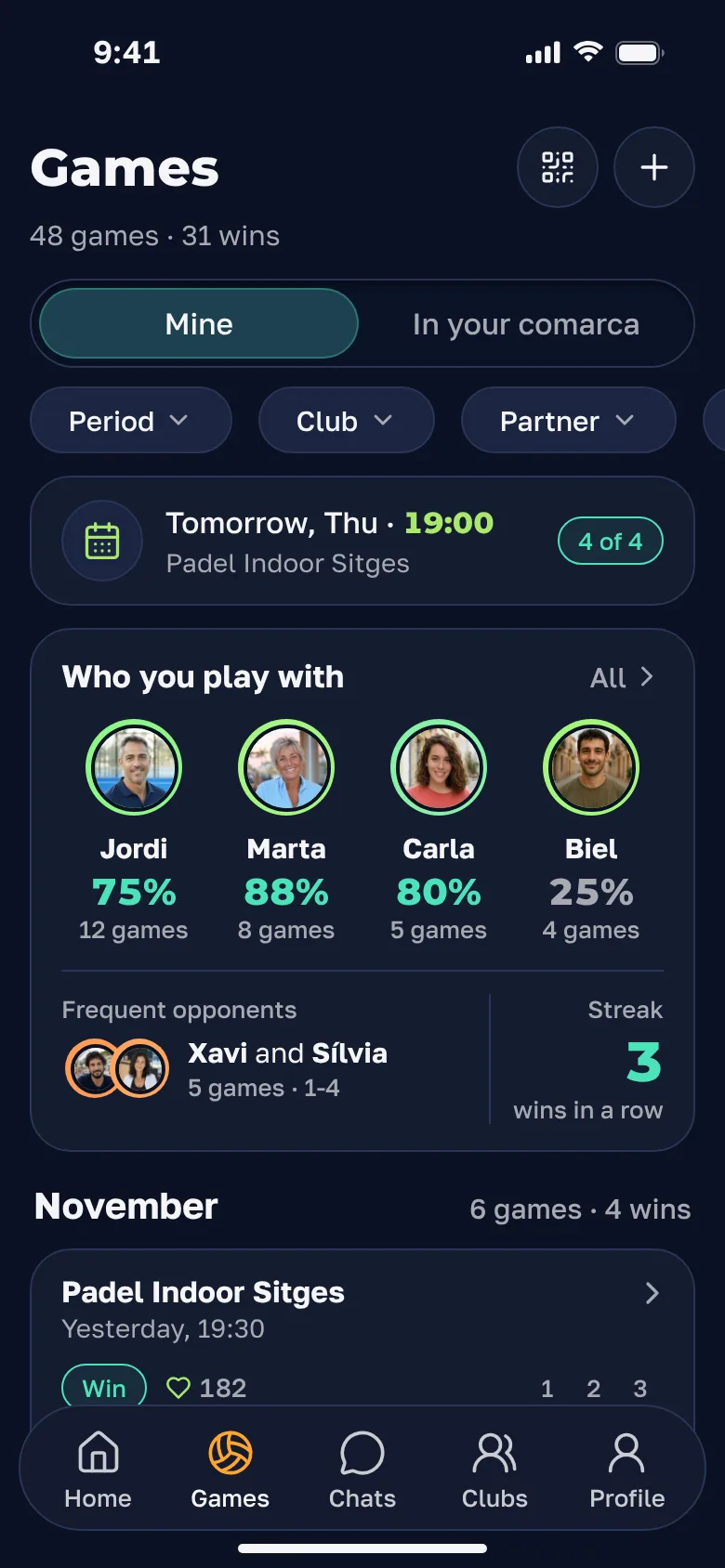

My games
Every padel game you play — recorded, clear and beautiful: when, where, who with and the score. And honest games make an honest rating.
Free for everyone: game history, filters, “Who you play with” stats and games in your comarca. Heart rate, the Match report and Form with Apple Watch are in Plus and Max.
Where your games are
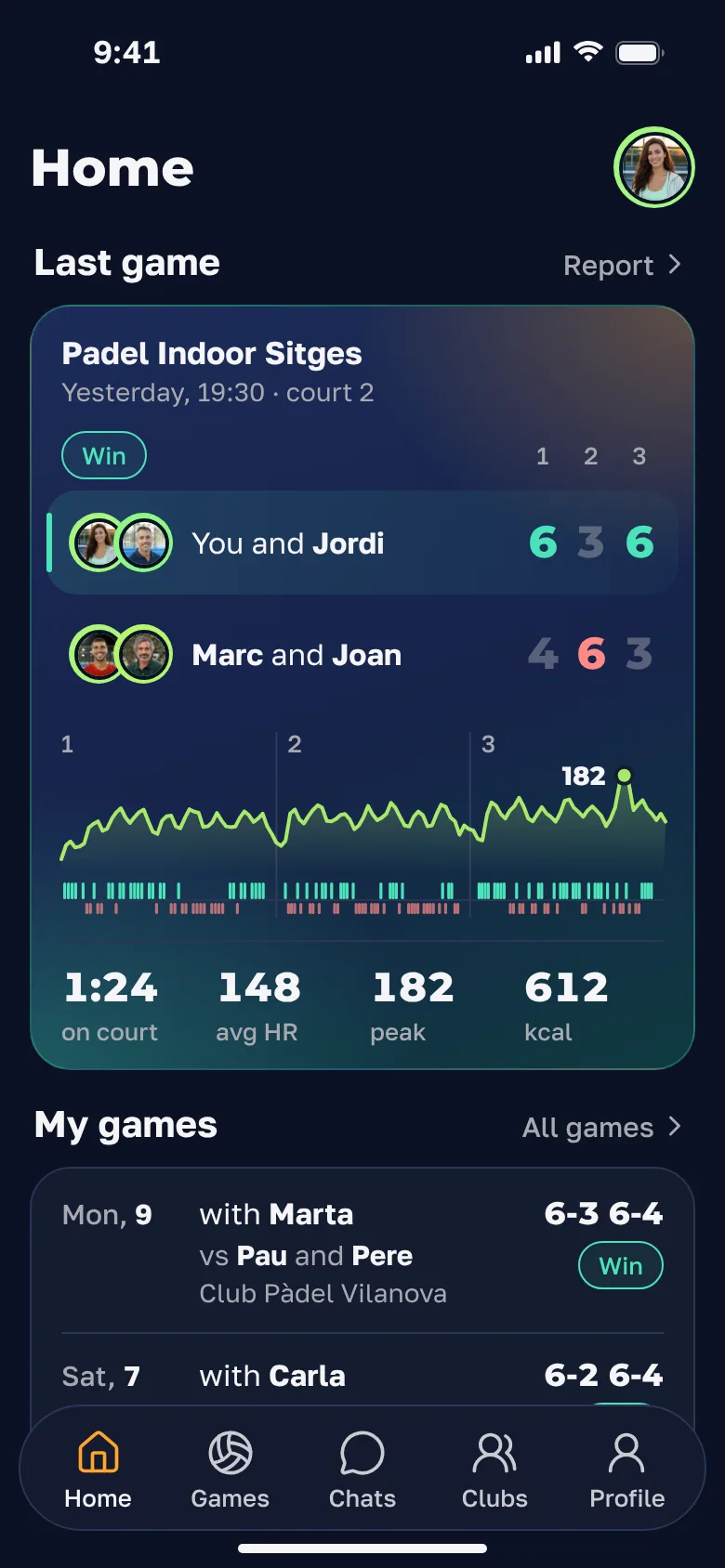
1. Home shows your last game and “My games”. Tap the Games tab at the bottom or “All games”.
2. At the top is the “Mine · In your comarca” switch. “Mine” holds all your games: the next one on top, past ones by date.
Games land in your history on their own: “Playing now”, a QR match and a tournament.
How to find a game by partner, club or opponent
1. Tap “Period” and pick 30 days, 90 days or a year.
2. The “Club”, “Partner” and “Opponent” chips keep only games at that club, with that partner or against that opponent. Swipe the chips sideways to find “With watch”.
Filters combine: for example, all your games with Jordi at Padel Indoor Sitges.
Who you play with
1. Partners: how many games together and your win rate with each one.
2. Frequent opponents: how many times you have met and the overall record.
3. Streak: how many wins in a row you have right now.
It’s all worked out from the scores of your games and free for everyone.
How to join a game or tournament in your comarca
1. Tap “In your comarca” to see games you can join: open games that need players, tournaments with sign-up and club news.
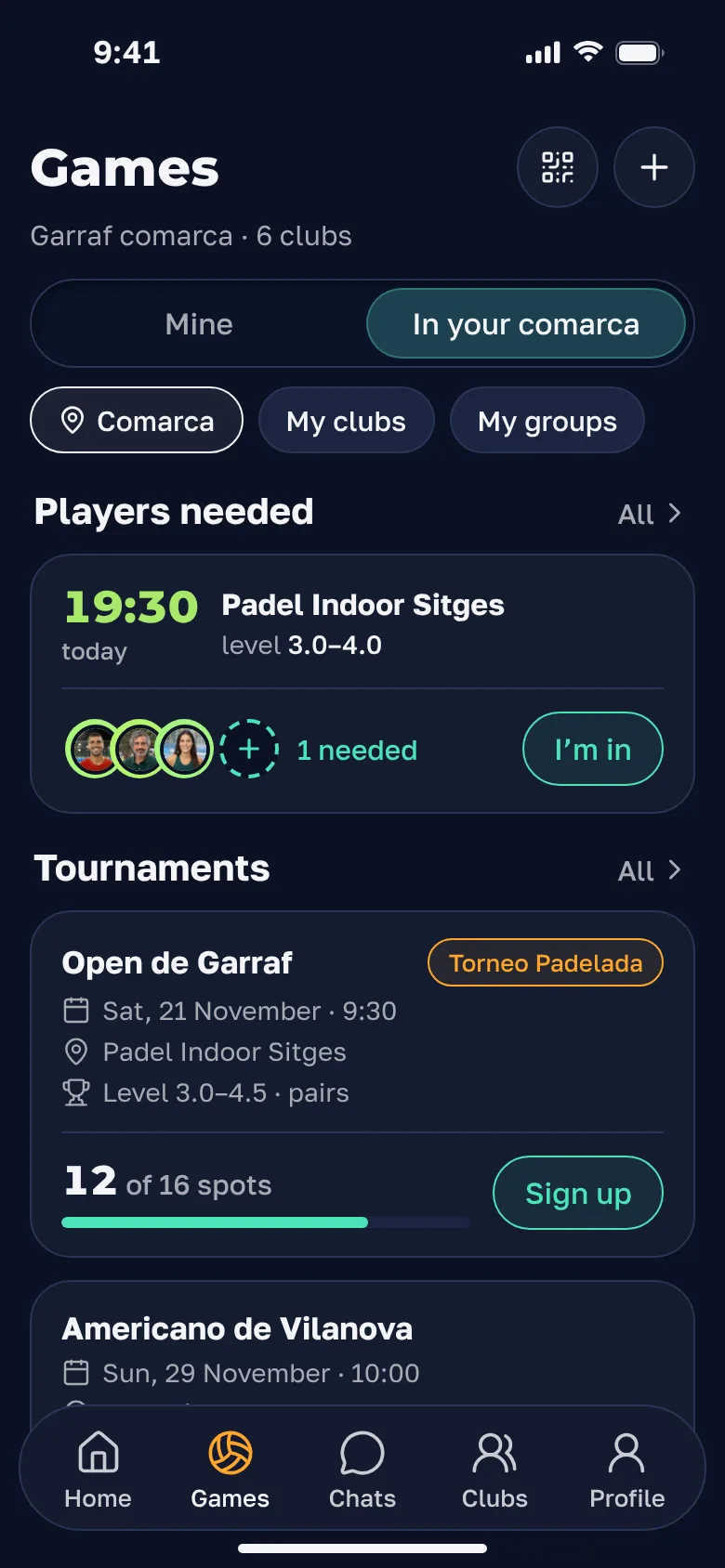
2. Choose the circle: “Comarca”, “My clubs” or “My groups”, just like in Falta uno.
3. Time and level suit you? Tap “I’m in” and the spot is yours.
4. For a tournament, tap “Sign up”. The bar shows how many spots are taken.
On Home, under “My games”, there’s a short “In your comarca” block: two or three rows and “All”.
Games without a watch
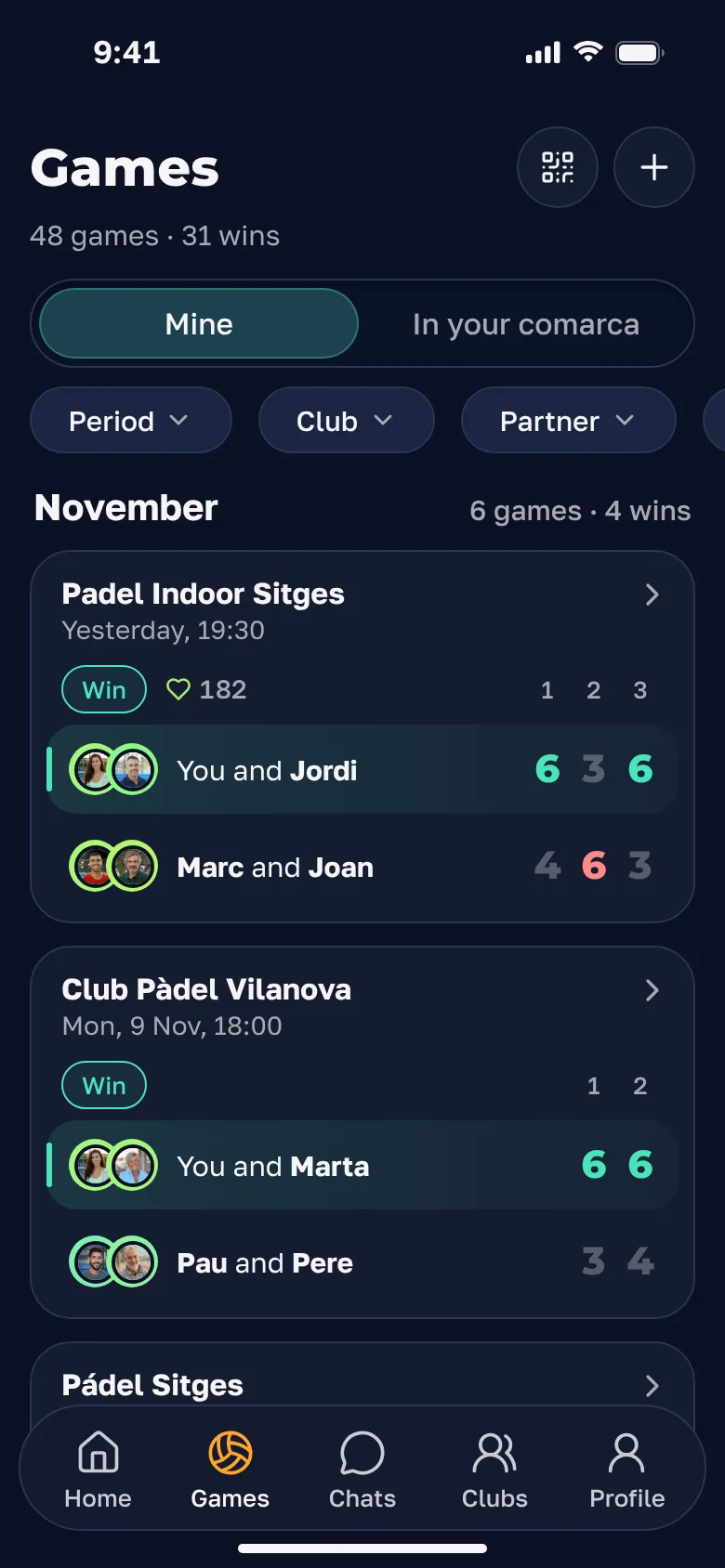
1. A game scored on the phone is a full history card: club, when, result, score by sets, partner and opponents.
2. The heart icon marks games recorded with Apple Watch. The “With watch” chip keeps only those.
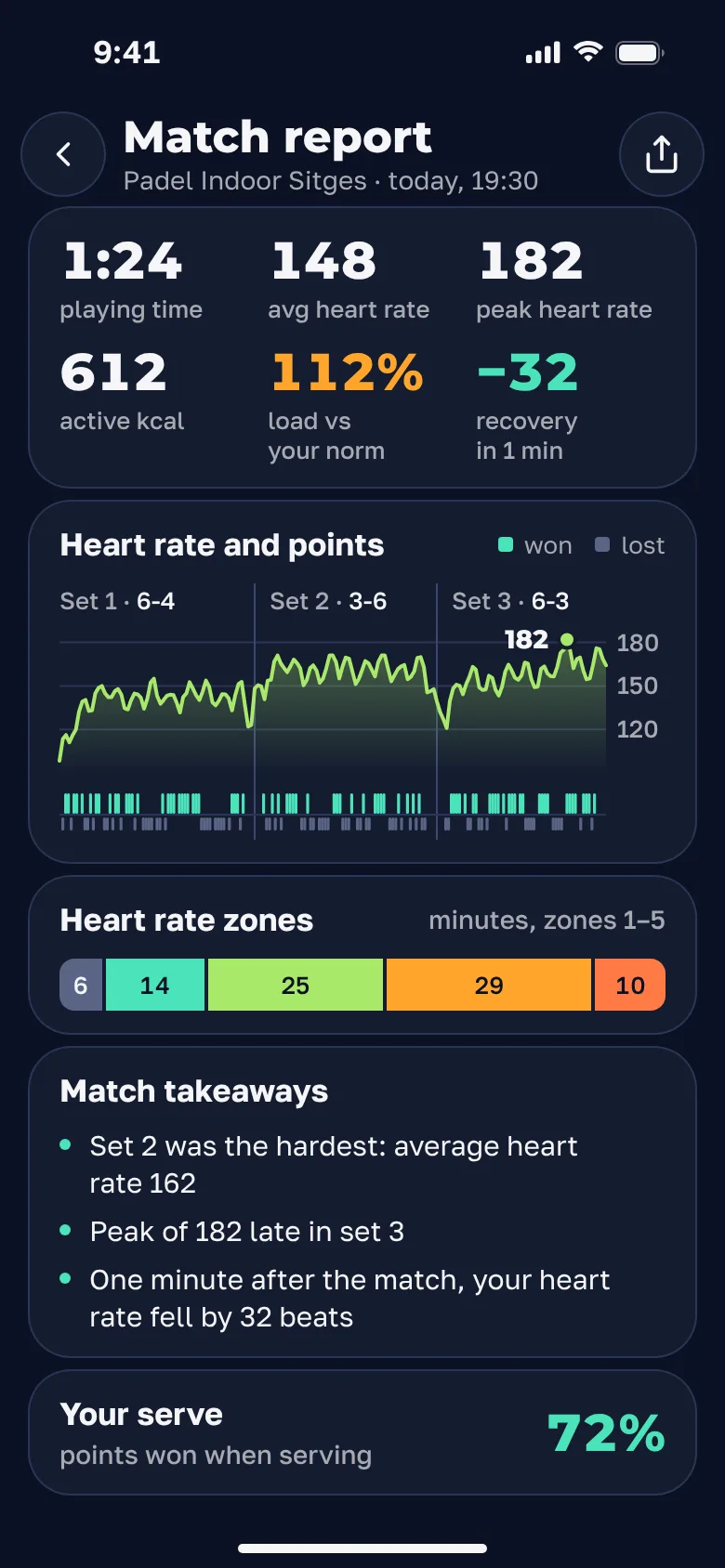
3. With a watch, the game has a Match report: heart rate over the score, time in each heart rate band and match takeaways.
History and stats are free for everyone. Heart rate, the Match report and Form come with Apple Watch in Plus and Max.
“Who did you play with?”
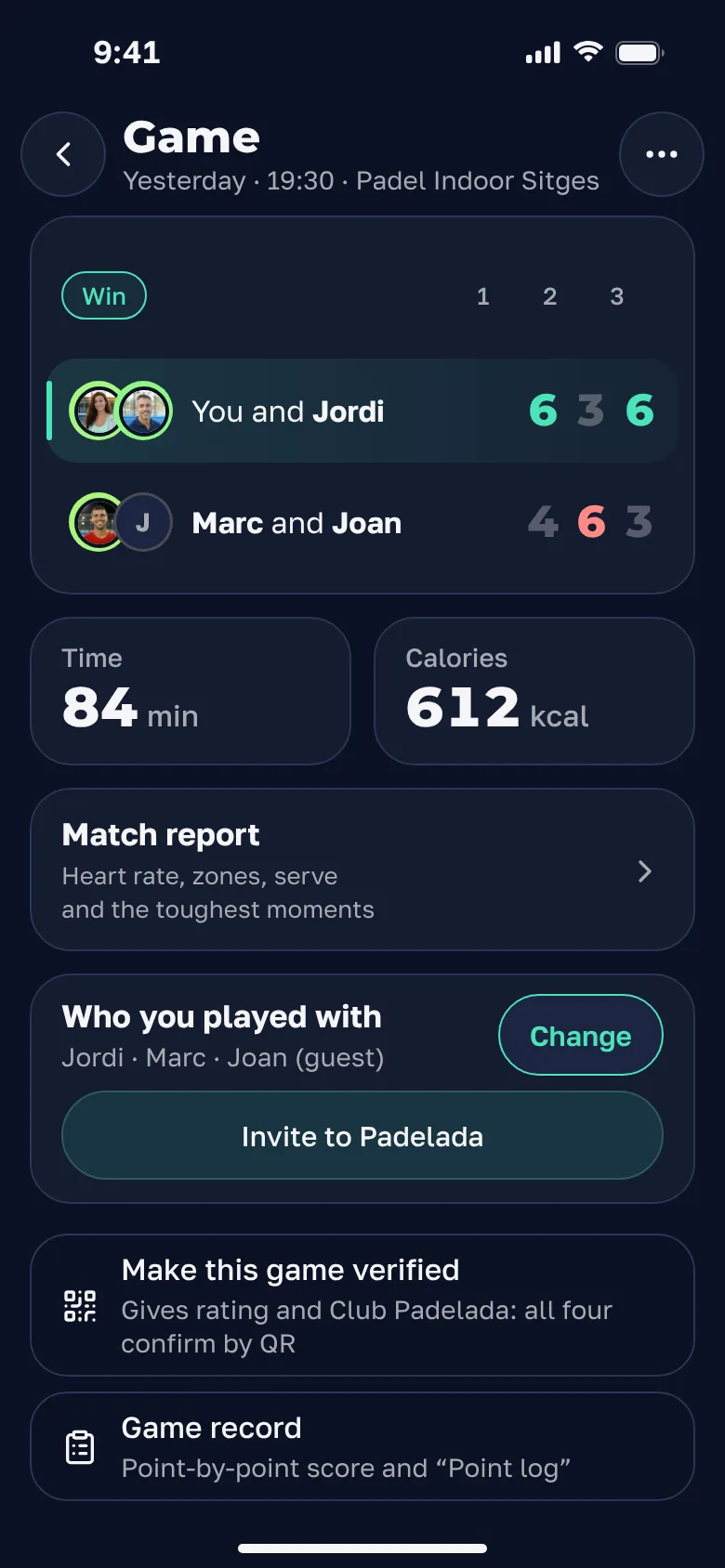
1. After a game, Padelada asks “Who did you play with?”. Later, on the game card: “Add”, or “Change” if the players are already there.
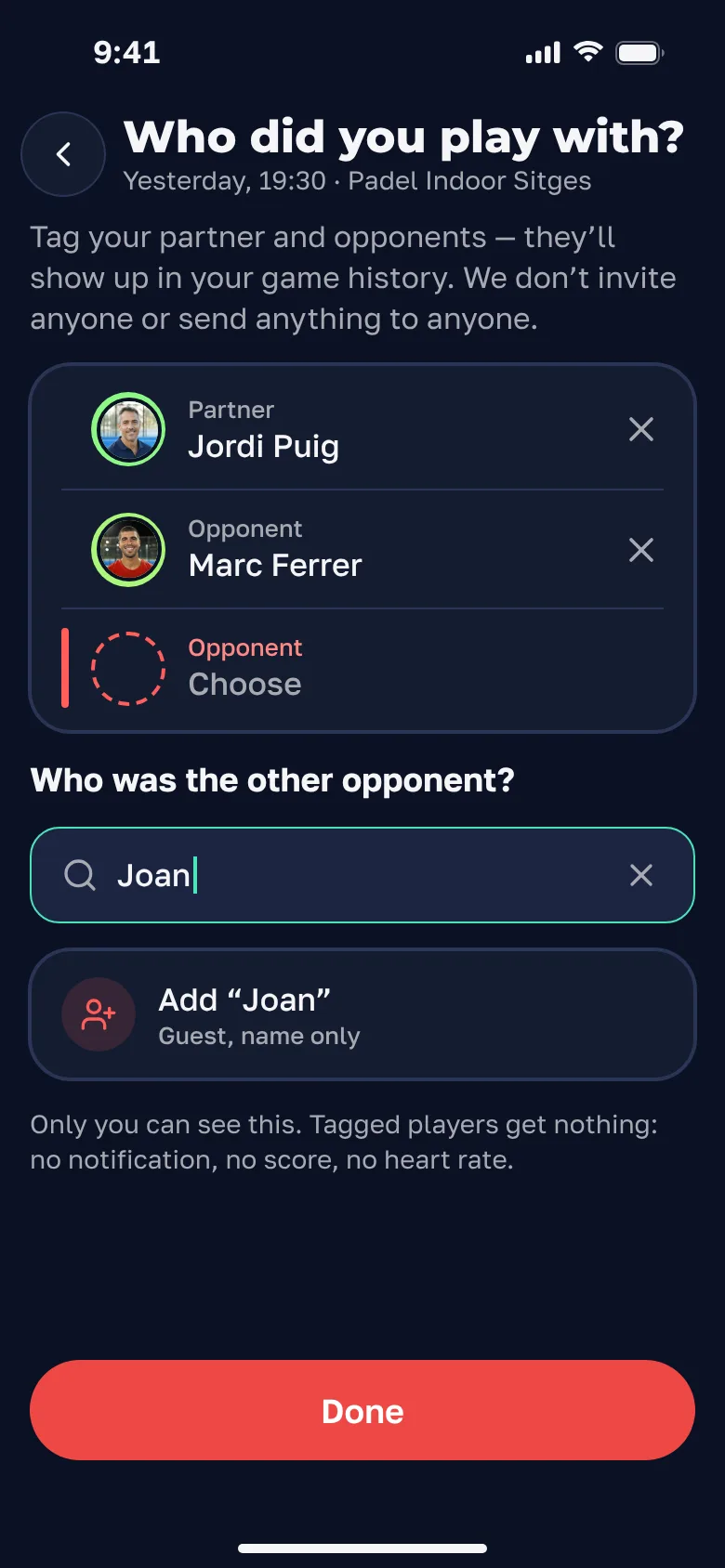
2. Pick a role, then a player: recent ones in one tap, Padelada players by searching their name.
3. Played with a guest? Type their name and tap “Add”: they don’t need an account. If you like, invite them later with “Invite to Padelada” on the game card.
It’s optional: the game and score stay in your history even without the line-up. A game with a guest doesn’t change the rating.
How to make a game verified
1. On the game card, tap “Make this game verified”.
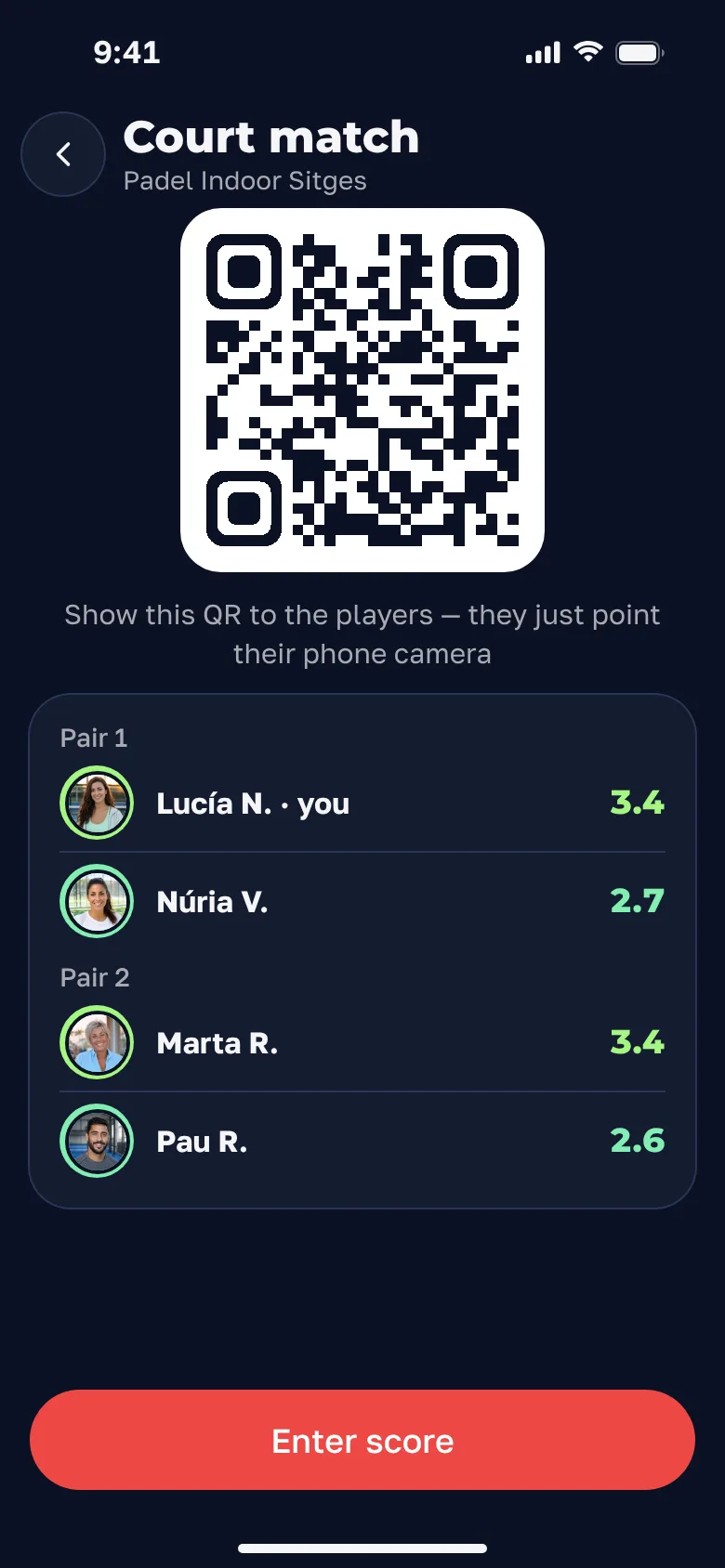
2. Show the QR code: each of the four confirms the score on their own phone. Then the game counts toward your rating and Club Padelada.
It’s optional: without it the game stays in your history and stats, but your level doesn’t change.
Point log: who recorded each point and when
1. On the game card, tap “Game record”, then “Point log”.
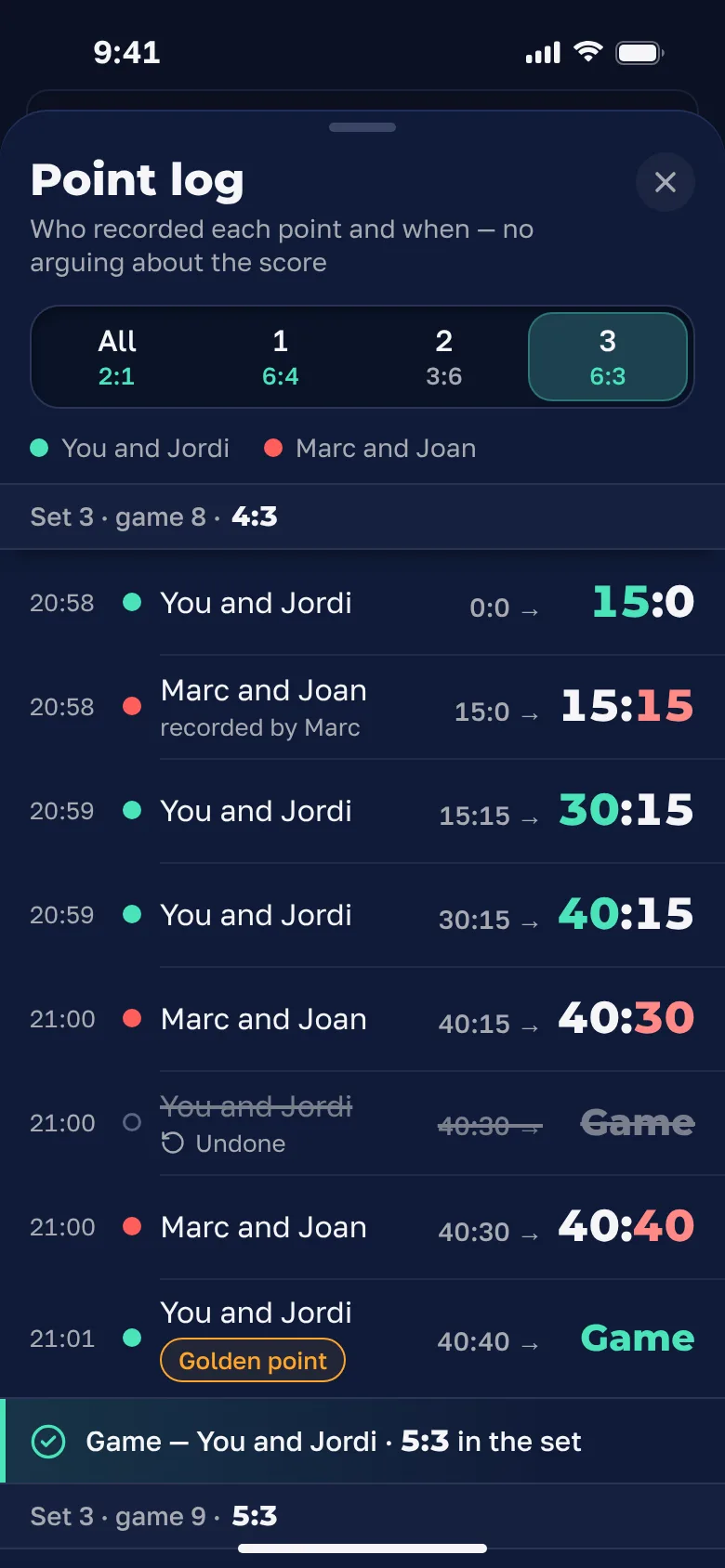
2. At the top, pick a set: its score is under the number, and “All” is the whole match. Mint is your pair, coral the opponents.
3. Each point is one line: the time, who won it and the game score. “recorded by Marc” shows when someone else marked it.
4. An undone point stays crossed out with “Undone”, and a “Golden point” is marked straight away.
The log is there for games scored point by point: on the phone (free) or on Apple Watch (Plus and Max). No more arguing about the score.
Frequently asked questions
How much does “My games” cost?
Nothing: game history, filters, “Who you play with” stats and games in your comarca are free for everyone. Heart rate, the Match report and Form with Apple Watch are in Plus and Max.
Do I need a watch?
No. Every game scored on the phone goes into your history. A watch adds heart rate and the report, and the “With watch” chip shows only those games.
Do I have to confirm a game by QR?
No. The QR check is only needed if you want the game to count toward your rating and Club Padelada. Without it, the game stays in your history anyway.
Can I record a game with someone who doesn’t have the app?
Yes. In “Who did you play with?” type the guest’s name: they don’t need an account. That game stays in your history but doesn’t change the rating.
Where do I find a game if we’re short of players?
Games tab → “In your comarca”: open games that need players, tournaments with sign-up and club news. Or the “Find players” row on Home, which is Falta uno.