
For organisers
A tournament that runs itself
The app sets the pairs. It looks at everyone’s level and doesn’t let the strong players team up again, so a newcomer plays on equal terms and partners change from round to round. The app runs Americano and Mexicano tournaments on any number of courts.
What you can do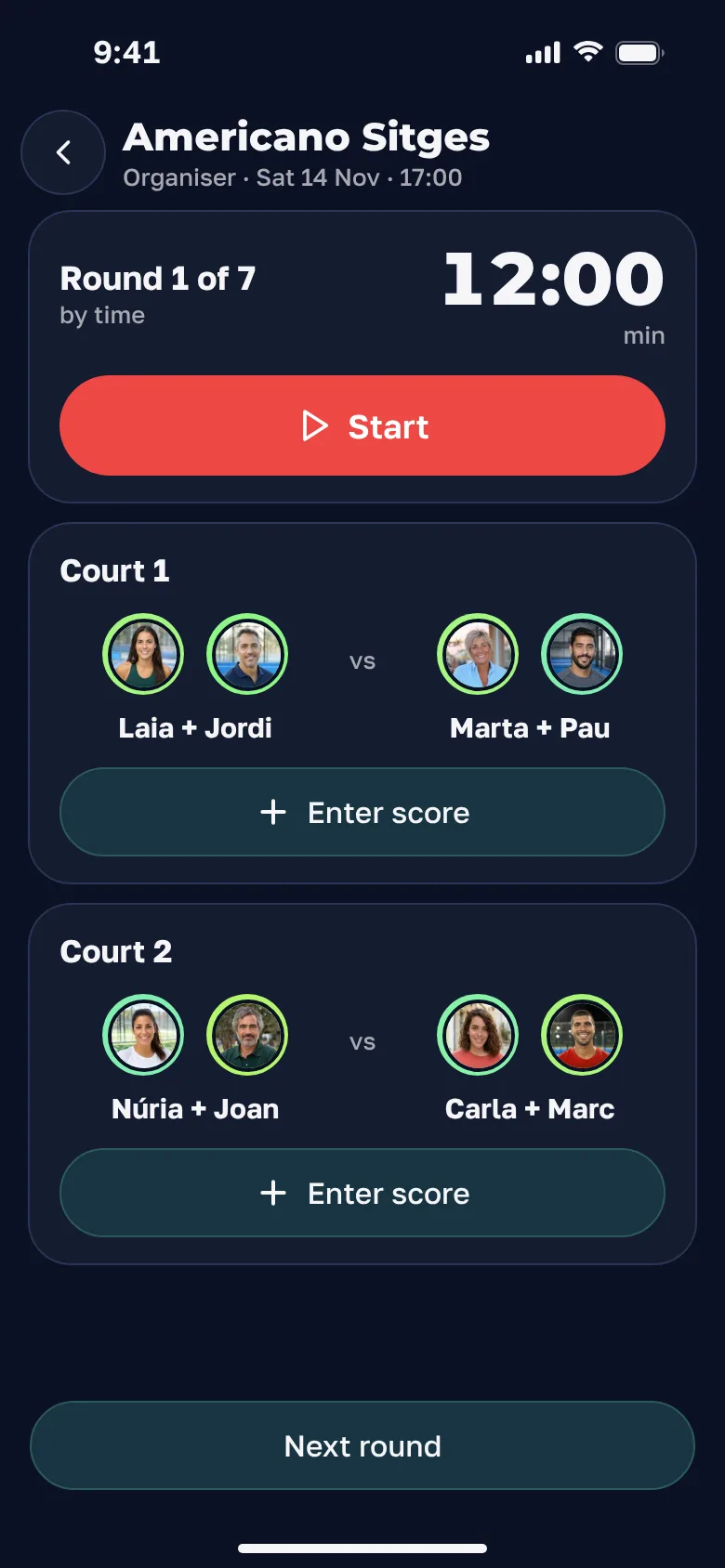

Order holds without phone calls. Players tap “I’m here”, and a spot that frees up goes automatically to the first person on the waiting list.
A fair tournament receives the Torneo Padelada mark. After the tournament, participants see the results: the winner, the podium and the final table.
Keeping score on your phone is free. Apple Watch comes with Plus and Max. In an open tournament, a match counts towards your level once the tournament organiser confirms the score. One opponent’s confirmation is not enough. The tournament table and the change in your personal rating are different results. No more scraps of paper or recalculating at the end of the evening.
Categories
A tournament or game can be men’s, women’s or mixed: gender sets the tournament’s category. Within a category, eligibility is decided by level. When someone signs up for a closed or open tournament, the app checks both category and level.
- Men’s
- Women’s
- Mixed
Courts, prices and rules stay yours. Padelada takes no money for a tournament.
Tournaments for organisers
Americano and Mexicano on any number of courts. The app arranges the pairs, scores are entered on the phone, and the table works itself out. A private tournament is for your own people, by link. An open one is seen by everyone nearby, and they sign up themselves.
Running tournaments is free, private and open alike, with no Plus or Max. Padelada takes no money for a tournament. Keeping score on Apple Watch is part of Plus and Max.
How to become an organiser
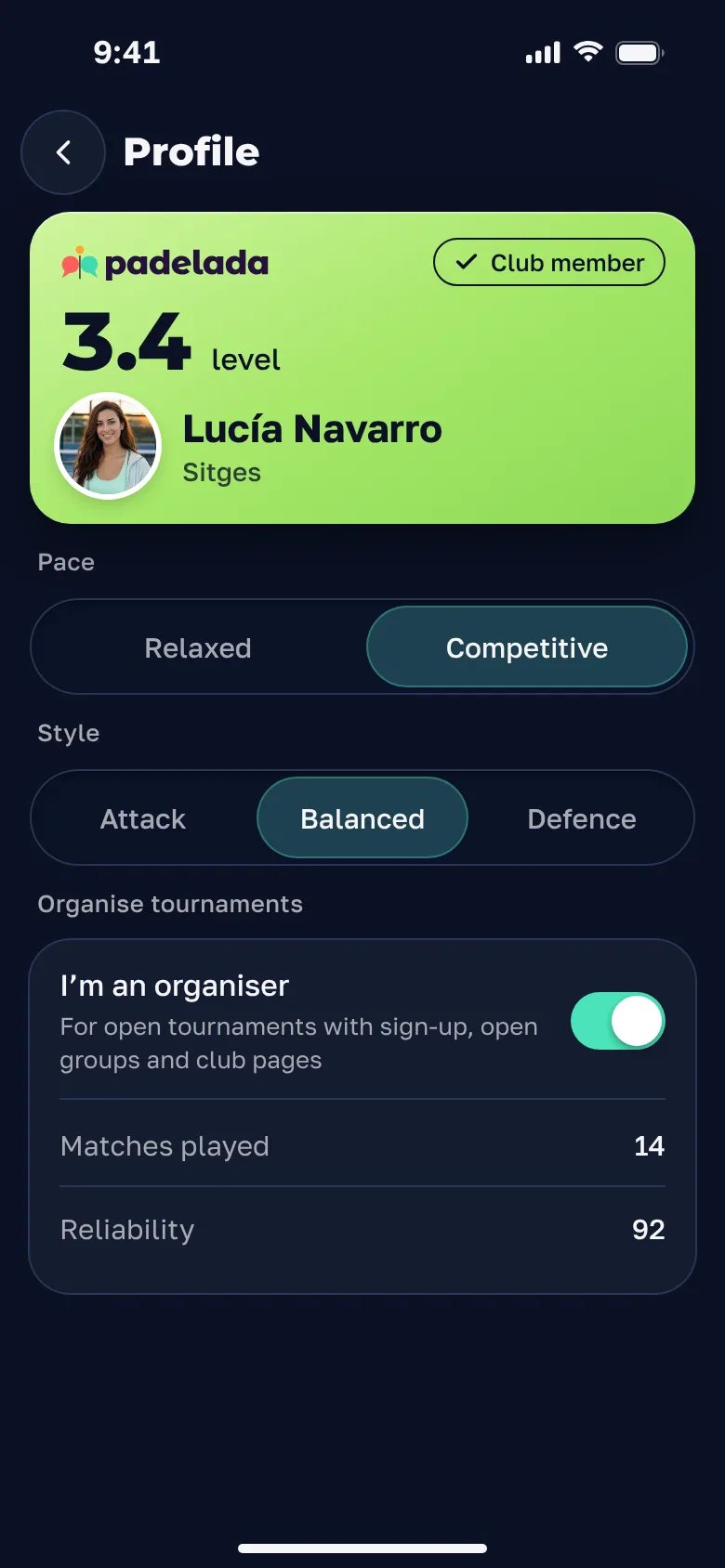
1. In “Settings”, open “Profile” and turn on “I’m an organiser”: anyone aged 18 or over can do it. Below you can see how many matches you have played and your reliability.
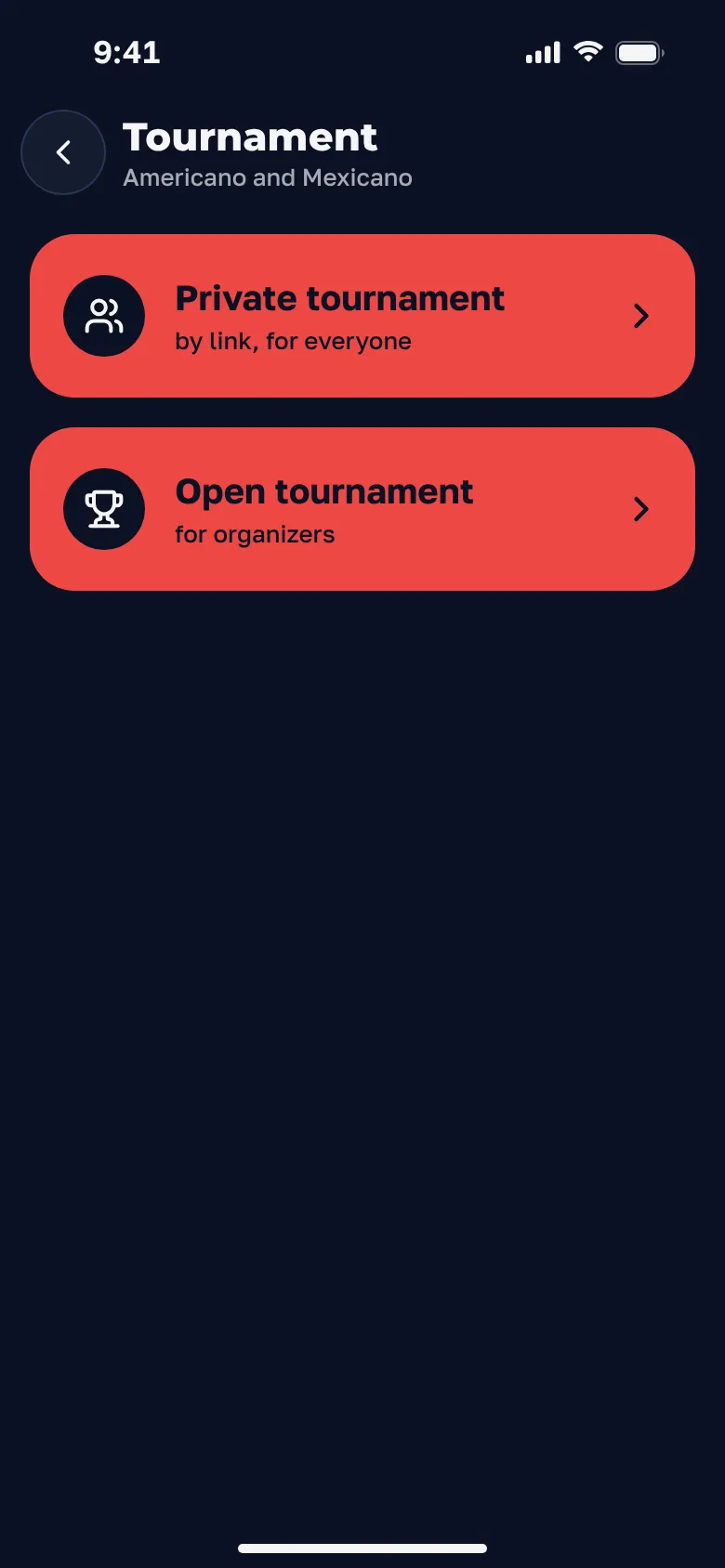
2. “Open tournament”, the Torneo Padelada mark and the race for captain open up once you have playing experience and good reliability.
Any player can run a private tournament, without these conditions.
How to create a tournament
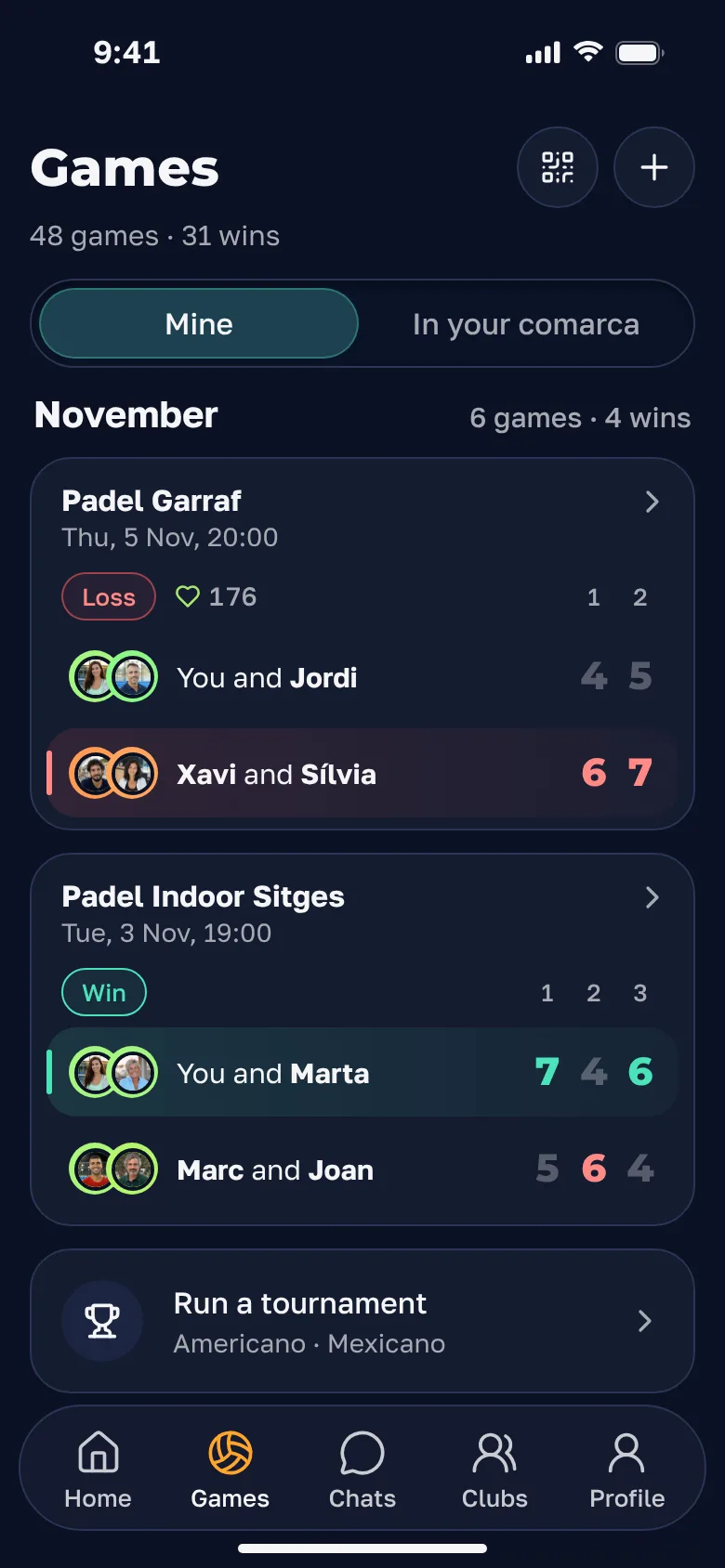
1. On the “Games” tab, under “Mine”, tap “Run a tournament” at the end of the list.
2. Choose “Private tournament”, for your own people, by link, or “Open tournament”, which everyone nearby will see.
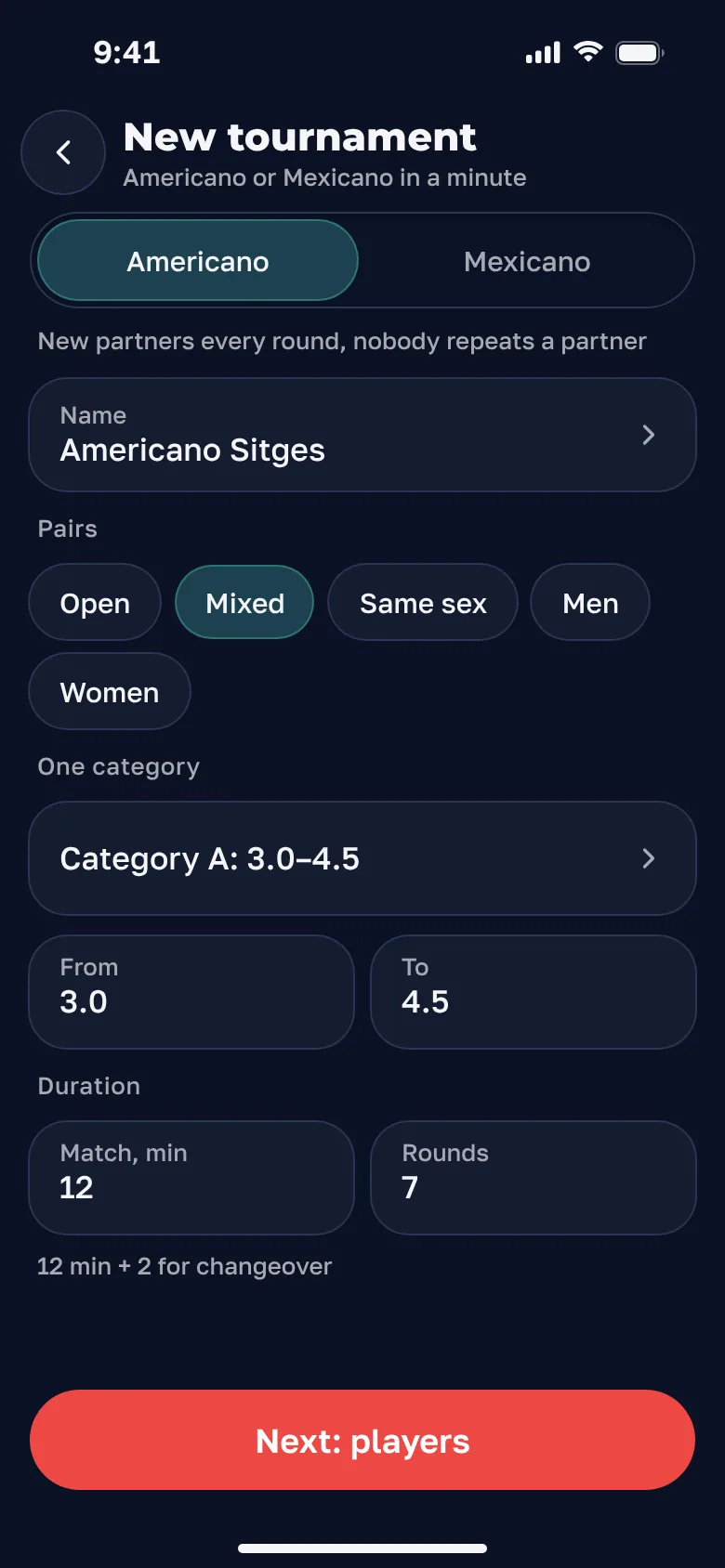
3. Choose “Americano” or “Mexicano”, then set the duration and the club. Tap “Next: players”.
Americano: every round has new pairs, and partners don’t repeat. Mexicano: after each round, neighbours in the table play together.
How to choose the pairs mode and level
1. Under “Pairs”, choose who plays with whom. Below the buttons, the app briefly explains the mode you chose.
2. Below that, set the tournament level: “Any”, or a range from and to.
Five pairs modes
- “Free”: any player can sign up.
- “Mixed”: every pair is a man and a woman. If the numbers are uneven, the extras take turns to rest.
- “Same sex”: men’s and women’s courts are separate.
- “Men”: players with the “Men” category in their profile can sign up.
- “Women”: players with the “Women” category in their profile can sign up.
How to make a tournament open and set its conditions
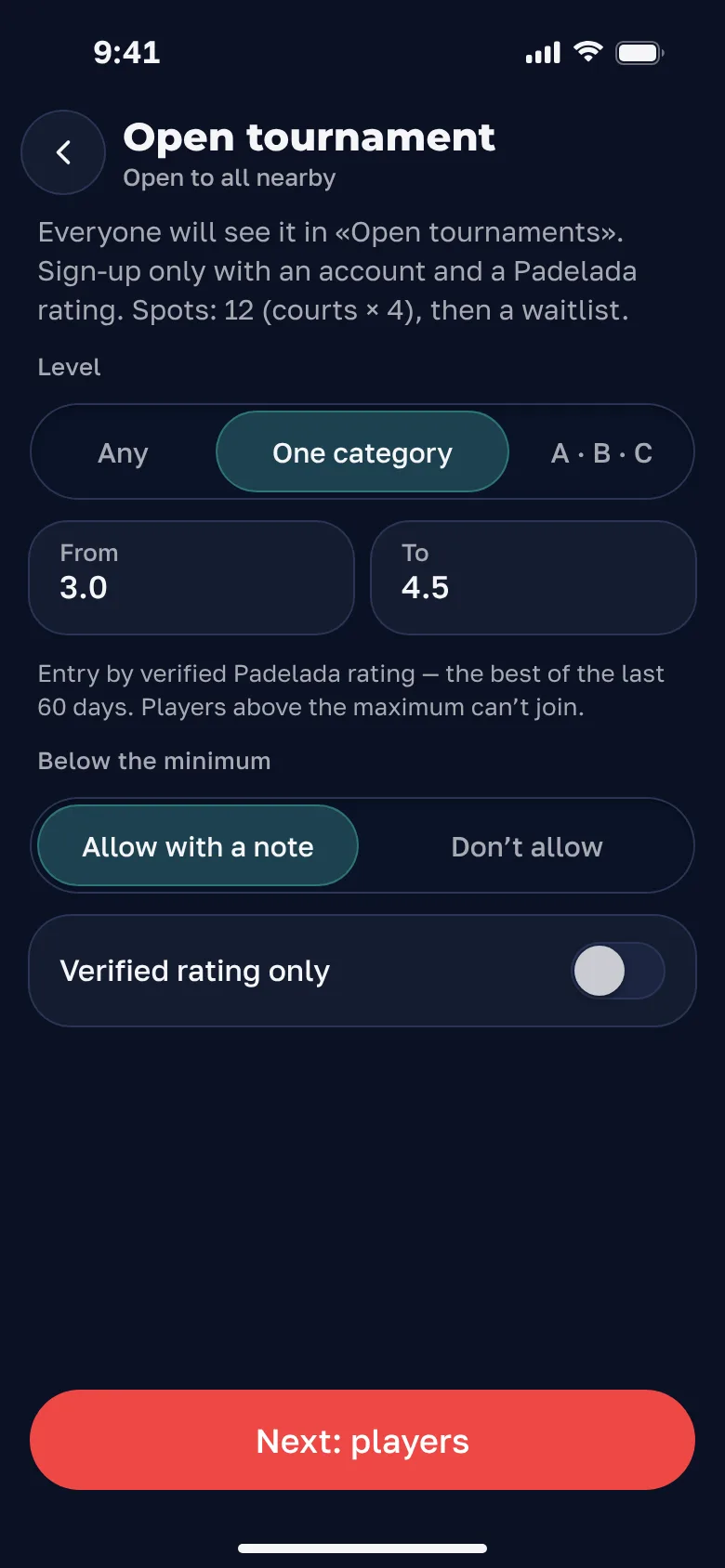
1. Set the level: “Any”, “One category” or “A · B · C”, two or three categories. Entry is by the verified Padelada rating, the best of the last 60 days.
2. Decide what to do with players below the minimum: “Allow with a note” or “Don’t allow”.
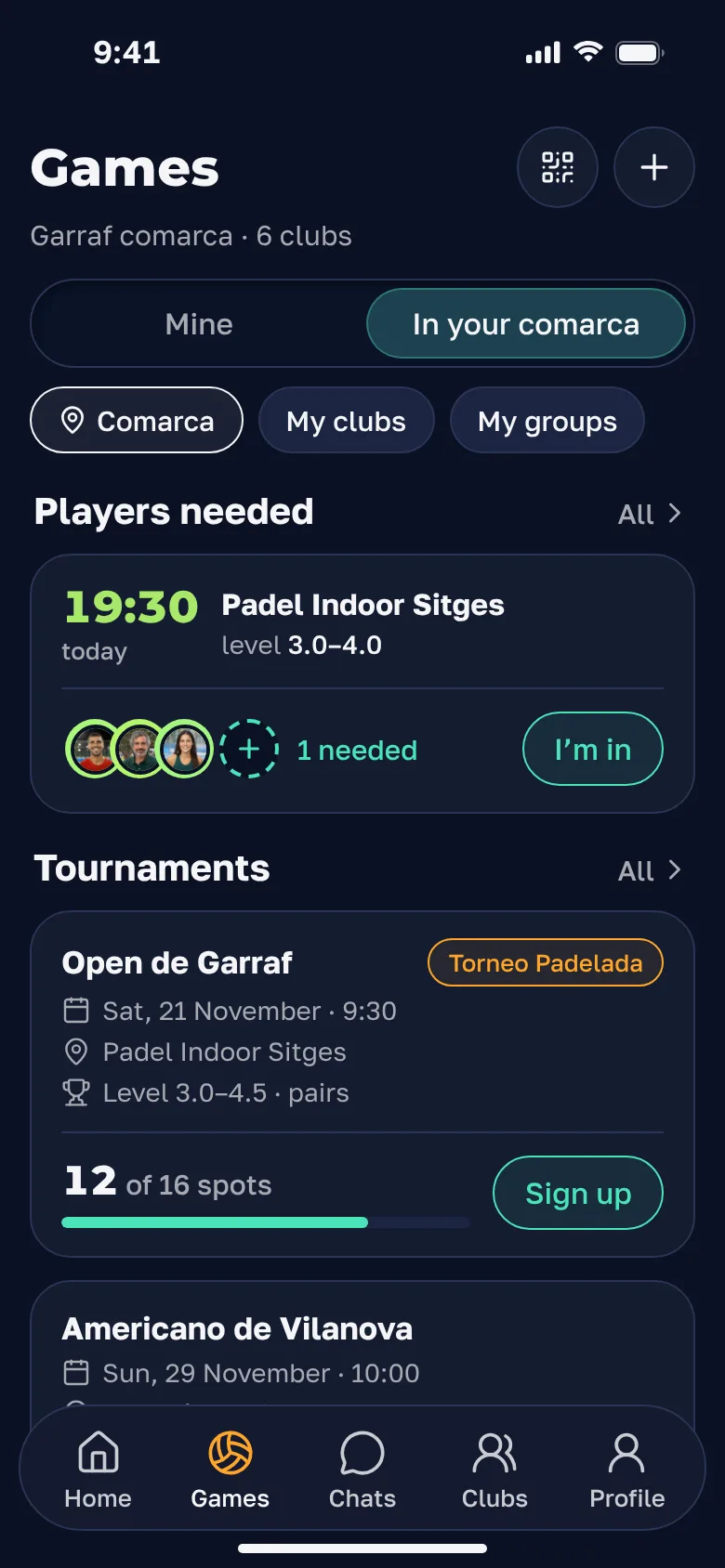
3. The tournament appears for players nearby: “Games” tab → “In your comarca” → “Tournaments”.
Only people with a Padelada account and rating can sign up for an open tournament. A spot is taken at once, with no confirmation from you. There are courts × 4 spots, then a waitlist: when a spot frees up, the first in the queue takes it by themselves.
How to invite players
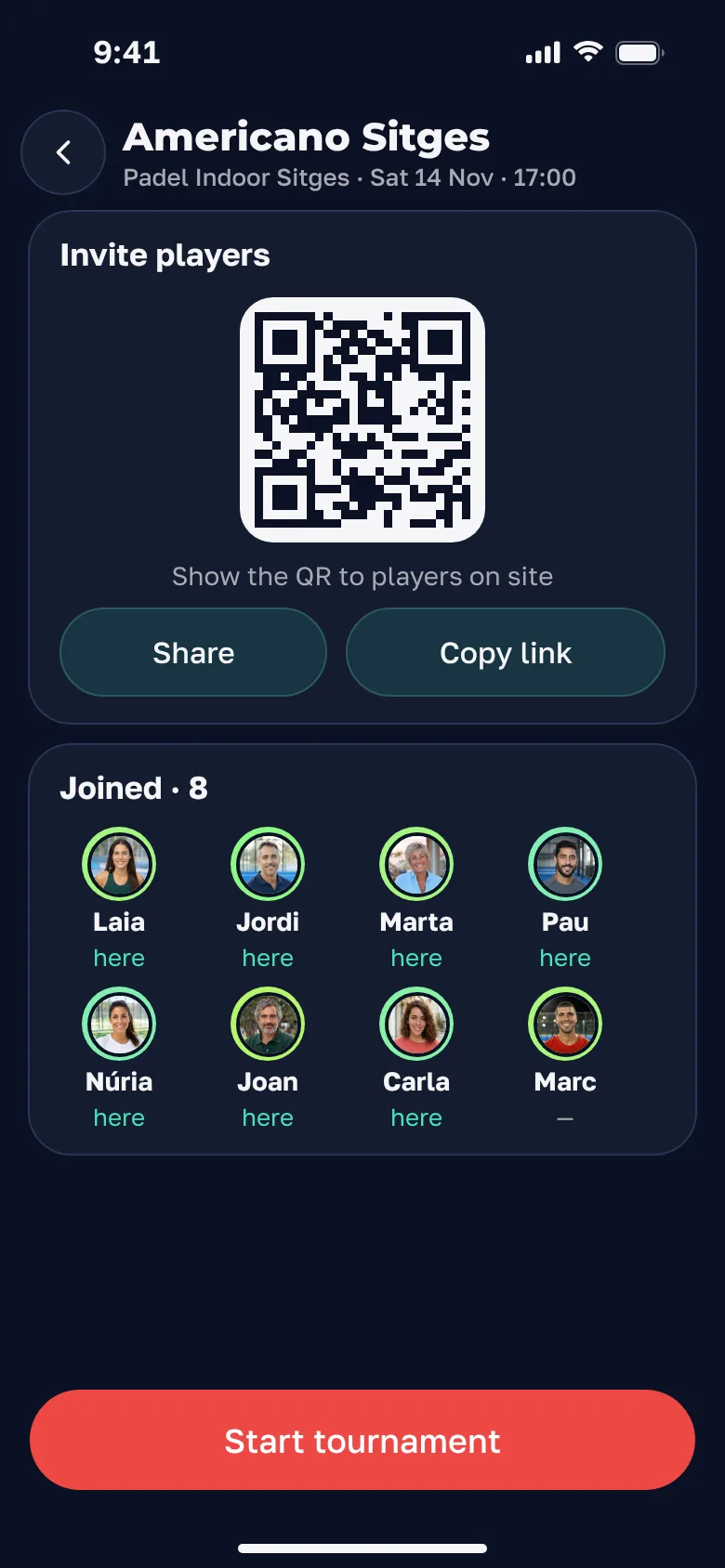
1. After you create the tournament, “Invite players” opens. Show the QR to players on site: they point their camera at it and sign up.
2. Or tap “Share” or “Copy link” and send the link to a chat.
In a private tournament, new players wait for you in the “Awaiting approval” list: tap “Approve” or “Decline”. You can add people you’ve already played with yourself: “Add someone you know”.
How to run the tournament on the day
1. An hour before the start, players check in with “I’m here”. When everyone has checked in, tap “Start tournament”.
2. Tap “Start”: the round timer begins, shared by all courts.
3. Each court shows the round’s pairs. Players enter the score themselves on their own phones, or you do it with the “Enter score” button.
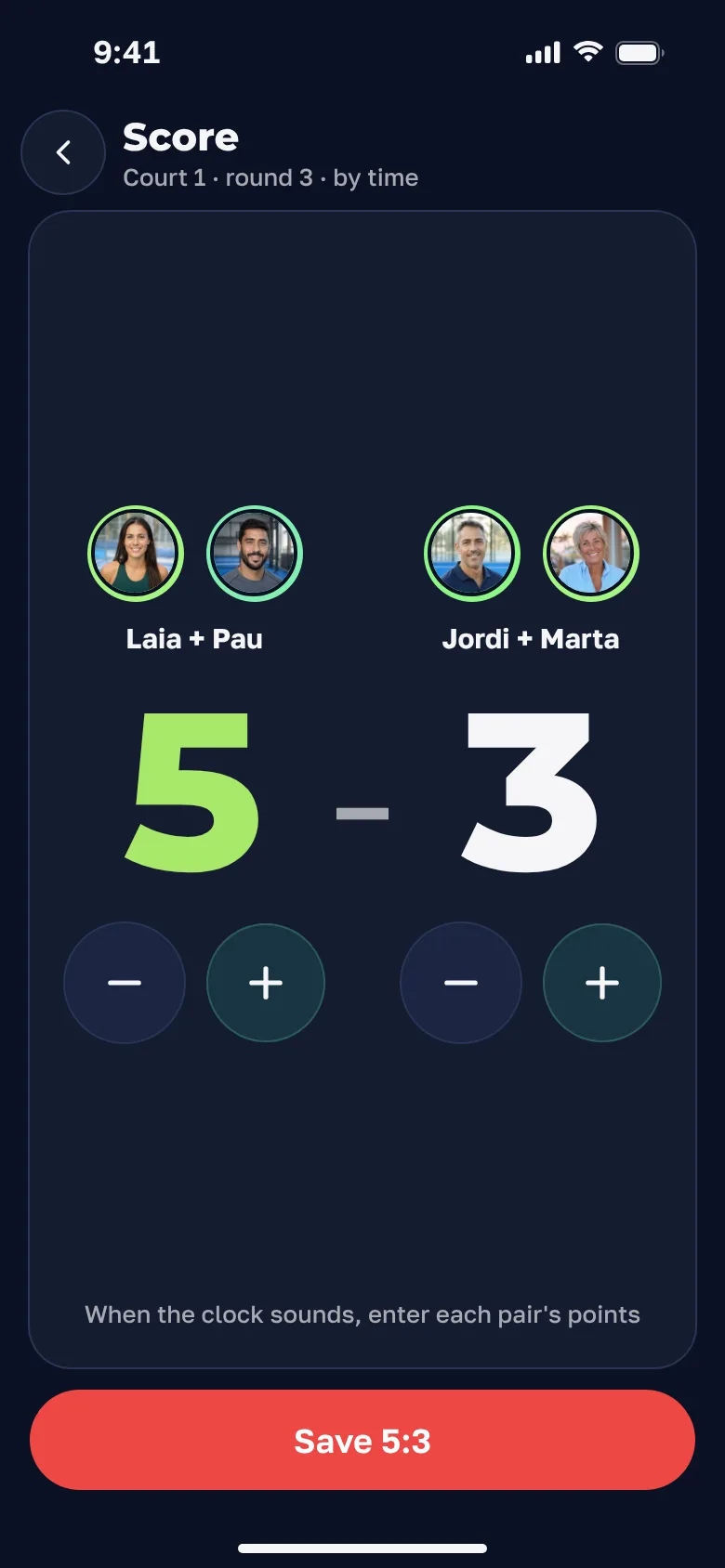
4. Mark each pair’s points and save. When every court has a score, the next round begins.
“Tournament screen” shows the courts and the table large, for a TV or a tablet at the club.
How to see the table and the results
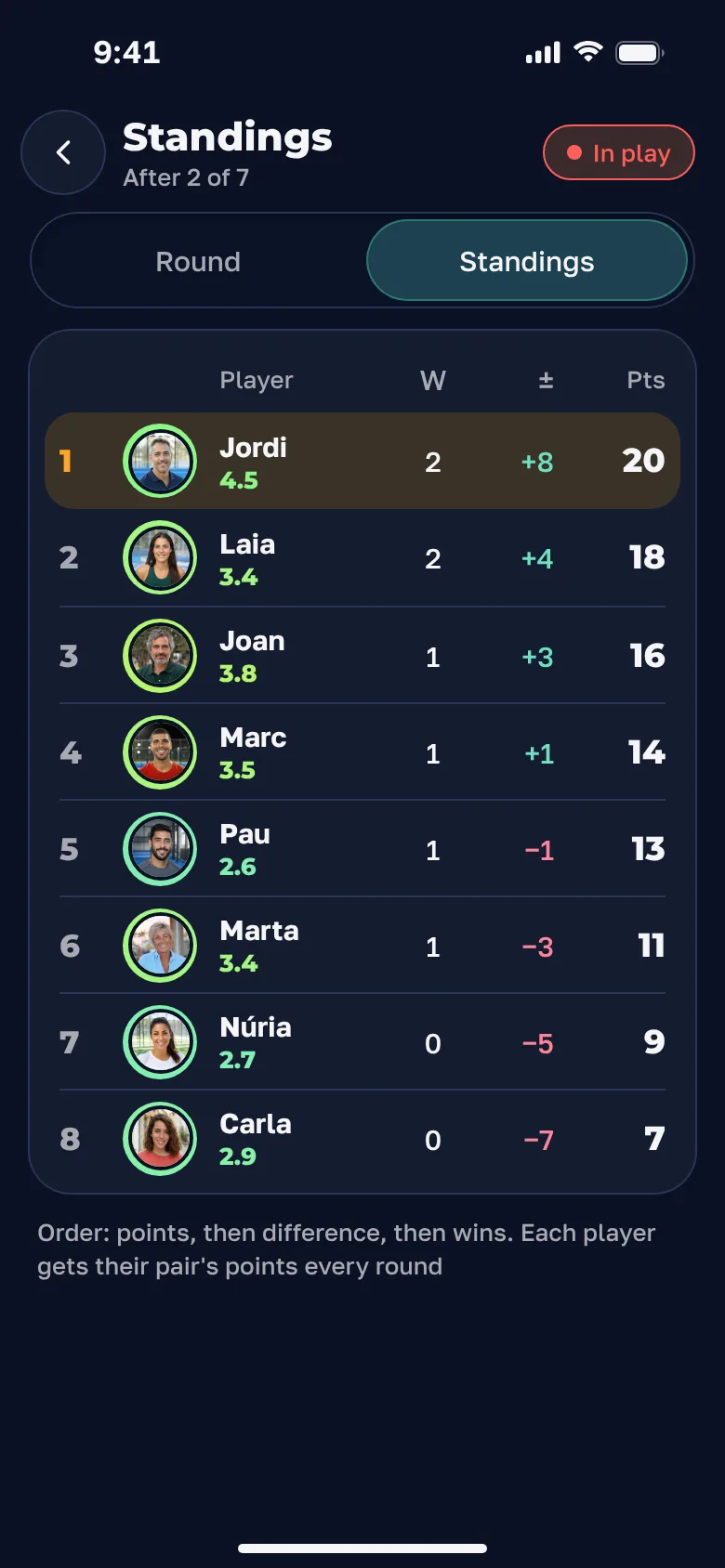
1. The “Table” tab updates after every score. The order is points, then difference, then wins.
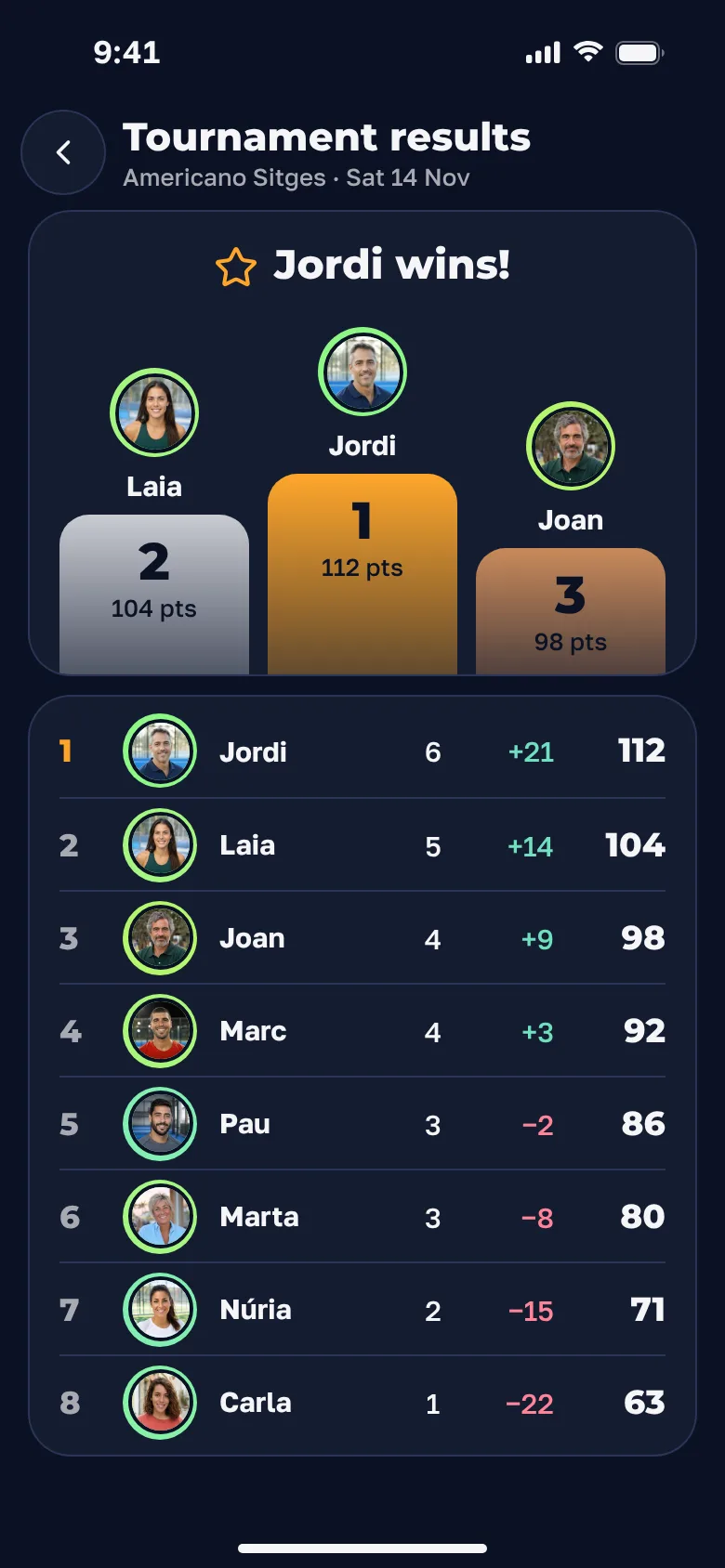
2. When the rounds are played, tap “Finish tournament” and the table becomes final. Everyone sees the winner, the podium and the results.
A player is credited with their pair’s points in each round. Anyone who rested gets the round’s average points.
How results are confirmed
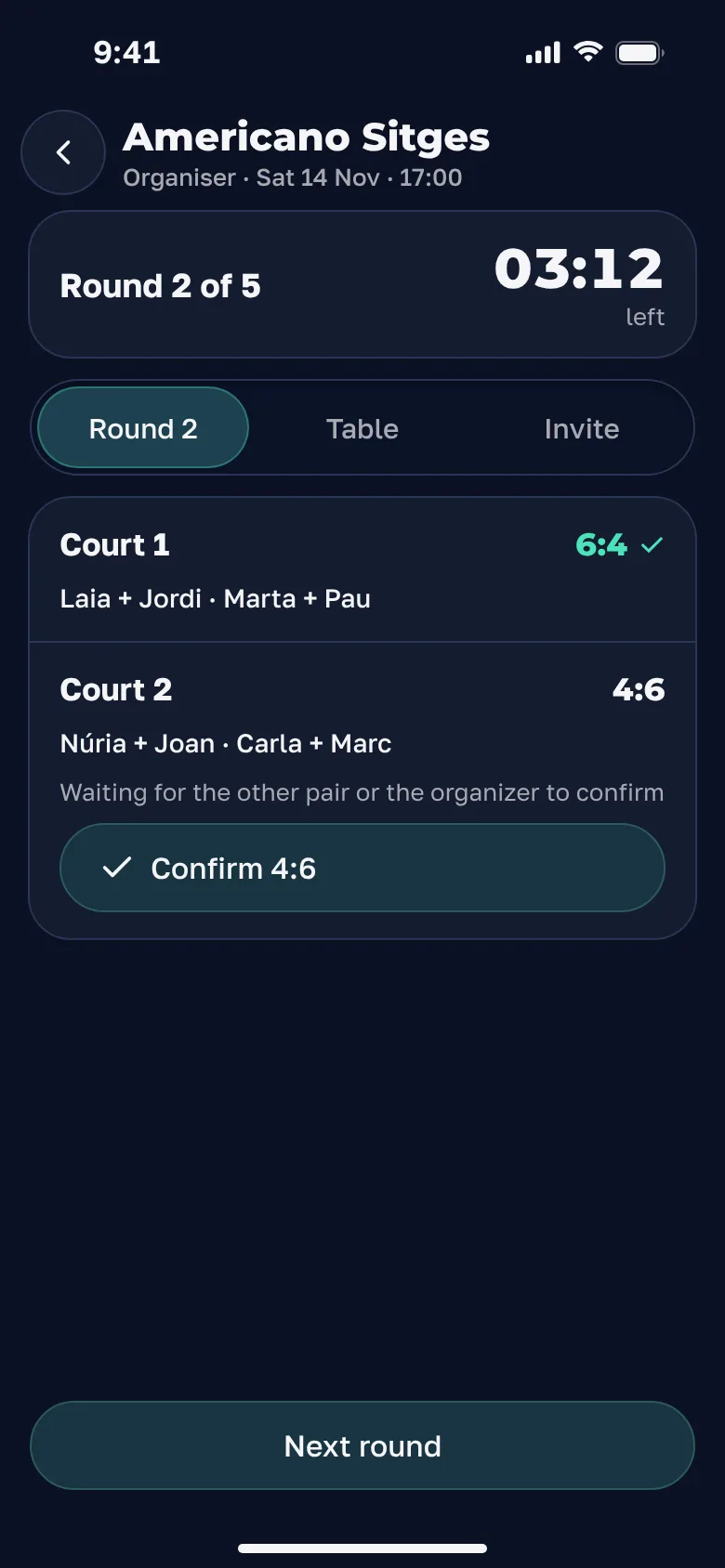
1. In an open tournament, you confirm the score for the rating. If one pair entered the score, the court shows “Confirm”: tap it or correct the score.
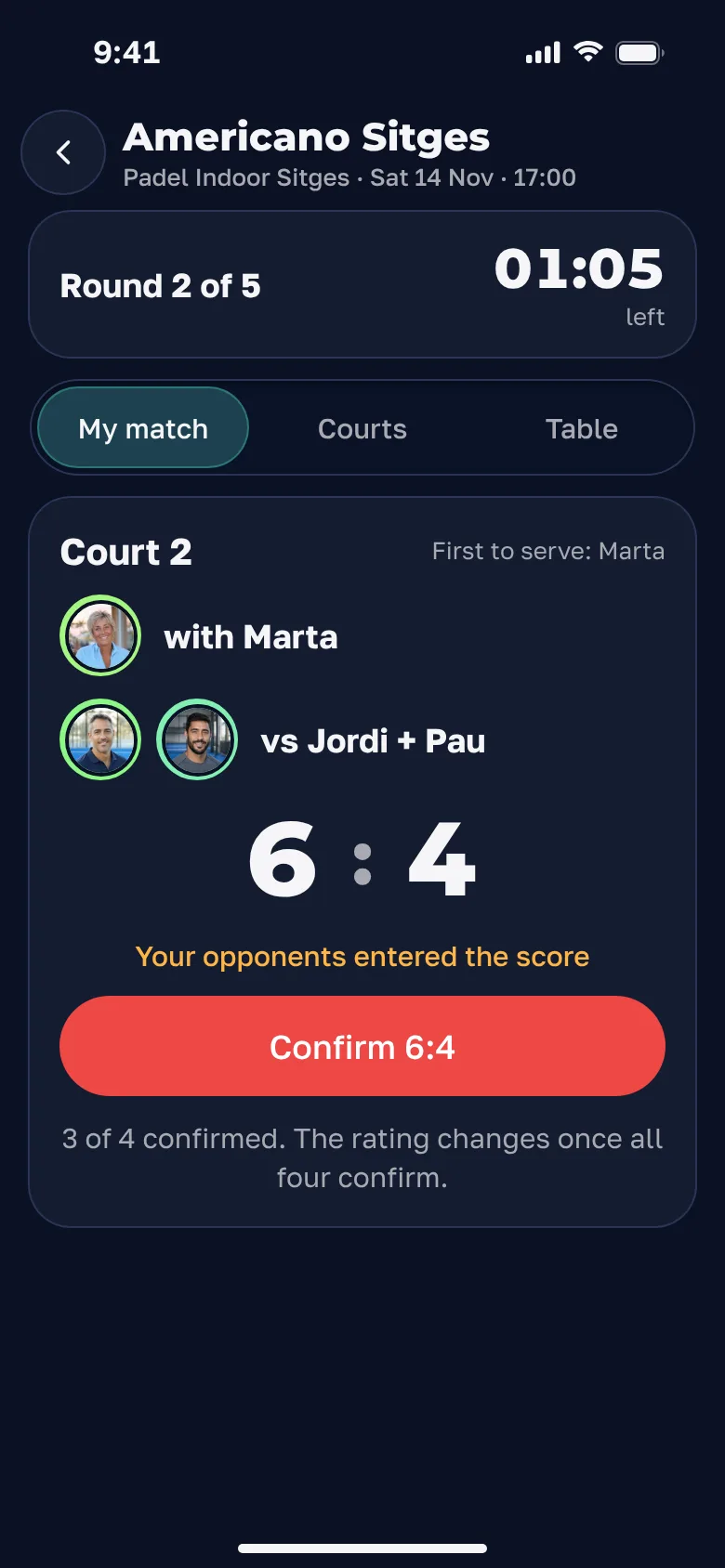
2. In a private tournament, each of the four players confirms the score on their own phone. The rating changes once all four confirm; you can’t confirm for the players.
If the pairs entered different scores, the court shows “Dispute”: choose the correct one. All corrections are visible to participants.
If entry is paid
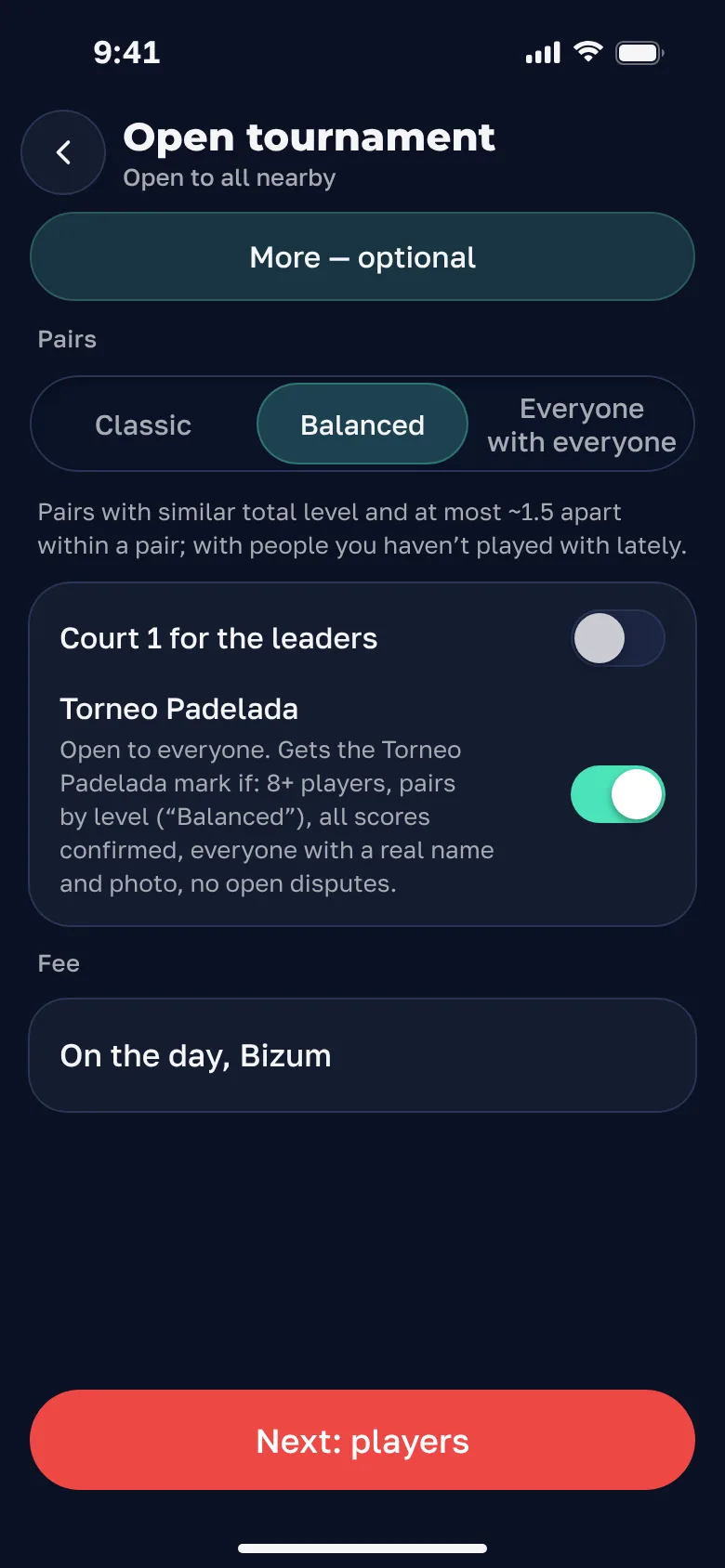
1. Open “More — optional”.
2. In the “Fee” field, write the amount and how to pay. Players will see it on the tournament page.
Players pay you directly. Padelada does not take payment for entry.
Frequently asked questions
How much does it cost to run a tournament?
Nothing: private and open tournaments are free, and Padelada takes no money for a tournament. Keeping score on Apple Watch is part of Plus and Max.
How is a private tournament different from an open one?
A private one is for your own people: players come by link or QR, and you approve who to take. Any player can create one. An open one is seen by everyone nearby: a spot is taken at once, and when the spots run out there is a waitlist.
How many players do I need?
At least four. If the number of players isn’t a multiple of four, the extras take turns to rest and get the round’s average points for resting.
Can I change a tournament after creating it?
Yes, until the first round has started: in the tournament menu, “Edit tournament”. “Cancel tournament” is there too: sign-up closes and participants are notified.
What if someone doesn’t turn up?
Players check in with “I’m here” an hour before the start. You can remove anyone who hasn’t checked in with one button. In an open tournament, the first person on the waitlist takes the freed spot.
Can people play without the app?
In a private tournament, yes: through the link from a browser, with just a name. A player without an account doesn’t affect the rating. Signing up for an open tournament needs an account.
Can I finish a tournament early?
Yes: “Finish tournament” in the tournament menu. The current round won’t count in the results if not every court has a score. Scores you haven’t confirmed can be confirmed all at once or left as they are, in which case those matches won’t count for the rating.
How do I make a tournament a Torneo Padelada?
When you create it, open “More — optional” and turn on “Torneo Padelada”. More in the Torneo Padelada guide.