
Padelada assistant
Paddy is always with you
Ask Paddy to find a partner at your level, explain why your rating changed, or tell you where a game is on nearby, and it answers in the chat in your language.
In Plus and Max, ask “Write for me” — Paddy prepares a draft of a game or a message. Nothing happens until you tap “Create” or “Send”.
What it can do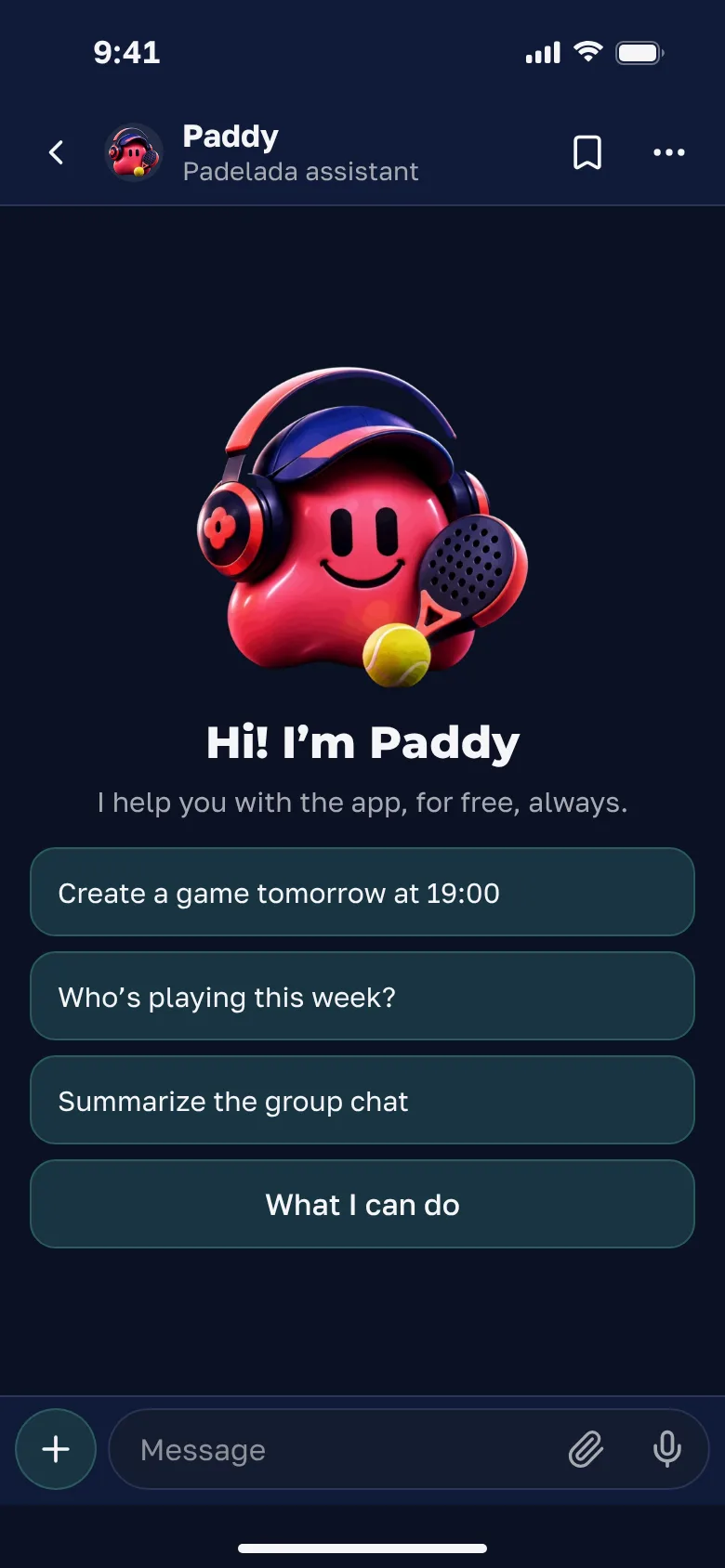

Paddy
Paddy is the Padelada assistant. It lives in your chats: it tells you where things are in the app, explains the rules, and in Plus and Max it prepares a match, an invitation or a message for you. Everything Paddy prepares is a draft: nothing happens until you tap.
Free for everyone: getting started and help with the app: questions, rules, which screen is where. In Plus and Max: create a match and invite players for you, summarise a chat, reminders, “Write it for me”, photos and video for Paddy, and Paddy on Apple Watch.
How to open Paddy
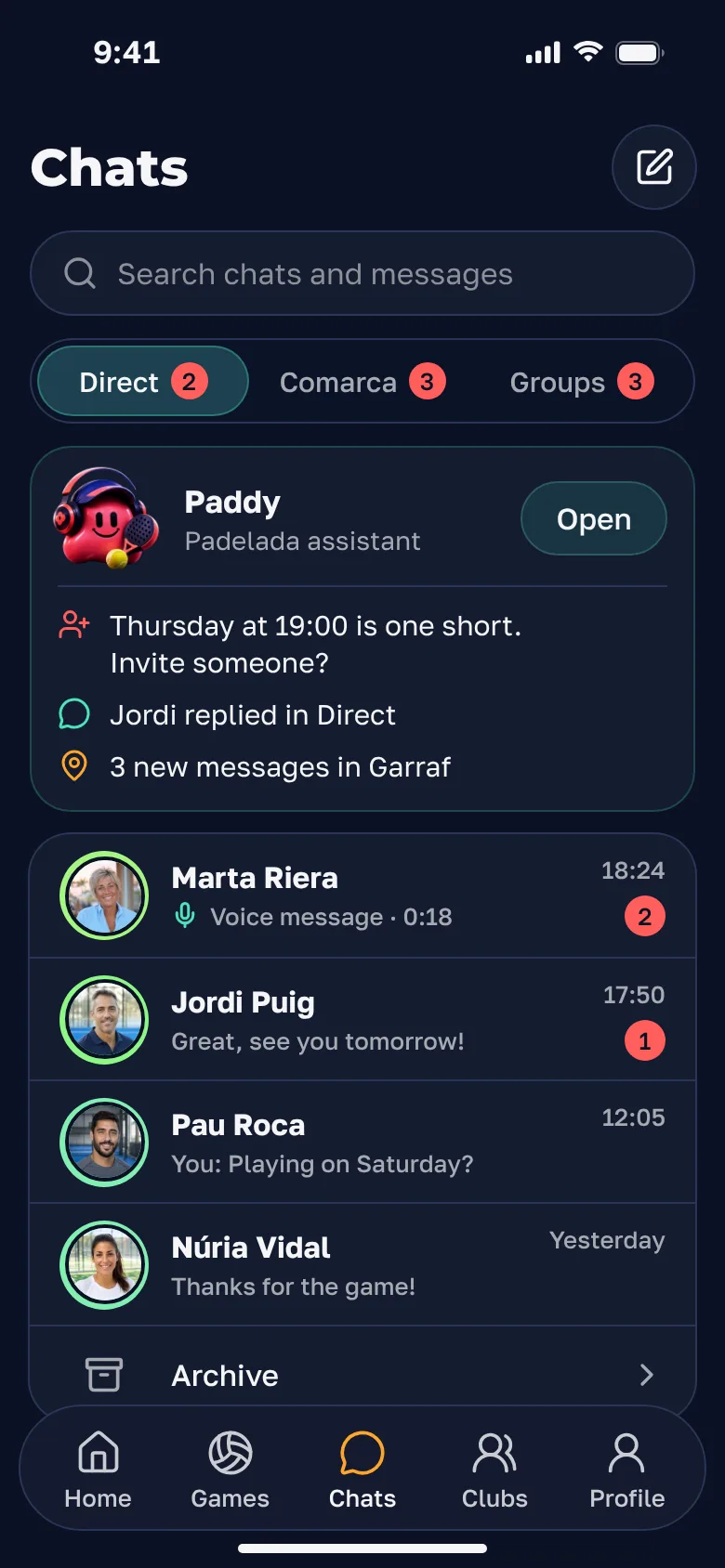
1. Paddy is the card at the top of “Chats”, in every folder. It sums up what’s going on for you right now. Tap “Open”.
2. An empty chat shows suggestions. Tap any of them, or type your own question in the “Message” field.
How to see what Paddy can do
1. Tap “What I can do” under the suggestions. The same list opens with the “+” to the left of the field.
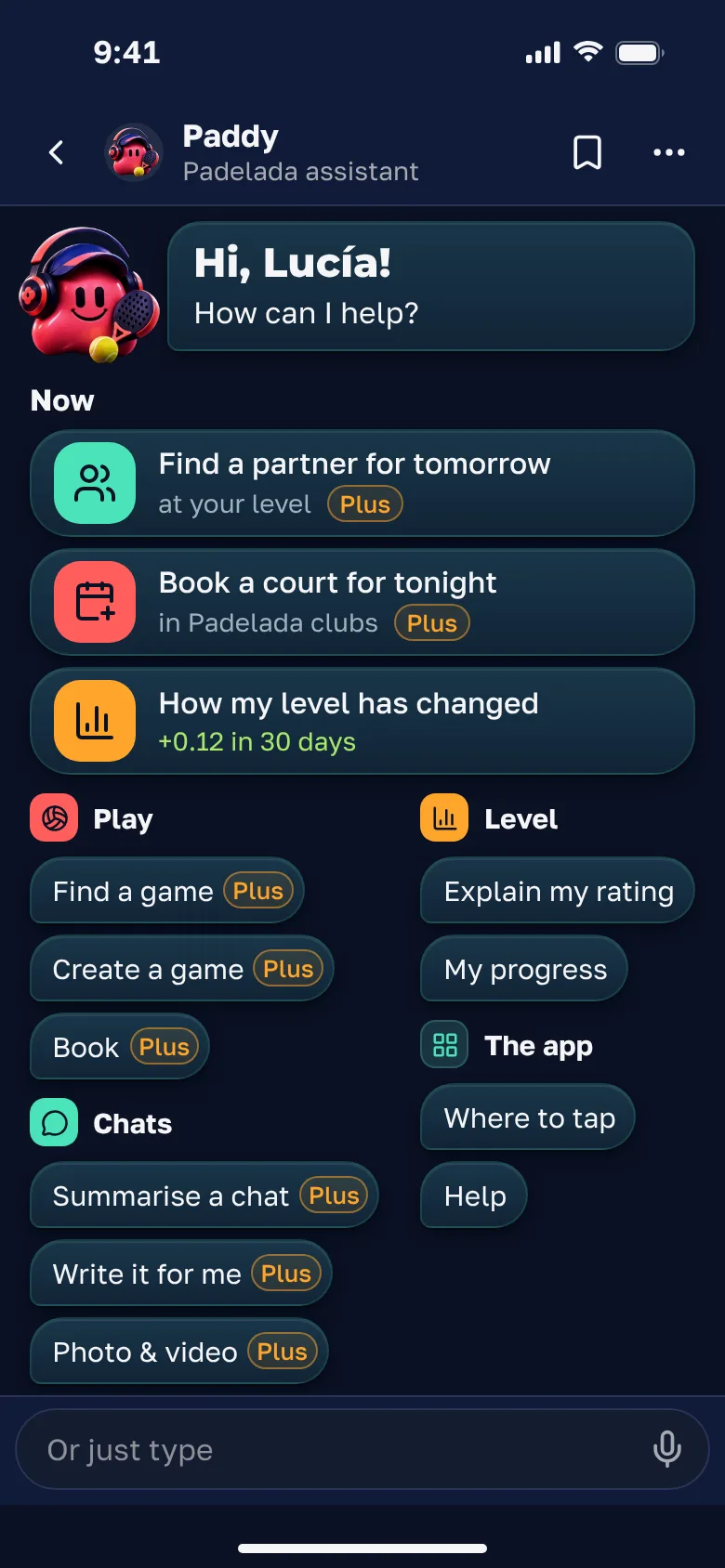
2. Tap a card or an action and Paddy starts right away. The “Plus” label marks Plus and Max features.
Always free: help with the app (“Where to tap”, “Help”) and level explanations.
How to turn on AI answers
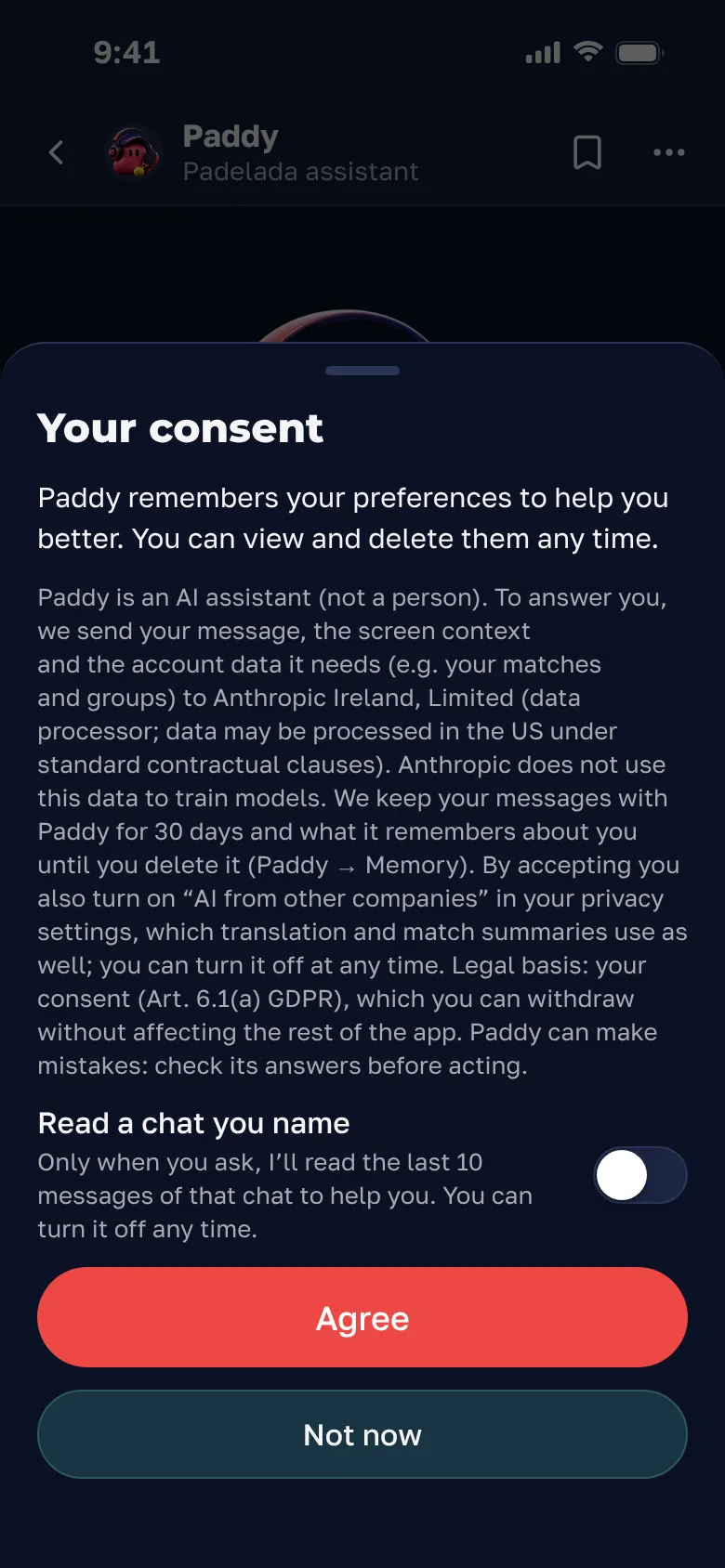
1. Until you allow AI from other companies, Paddy replies with ready-made suggestions. Tap the input field, read “Your consent” and tap “Agree”.
2. “Read a chat you name”: only when you ask, Paddy reads the last 10 messages of that chat. You can turn it off at any time.
Paddy is an AI assistant, not a person, and can make mistakes: check its answers before acting. Paddy is available from age 18.
How to create a match with Paddy
1. Write what kind of game you need, or tap the suggestion “Create a game tomorrow at 19:00”.
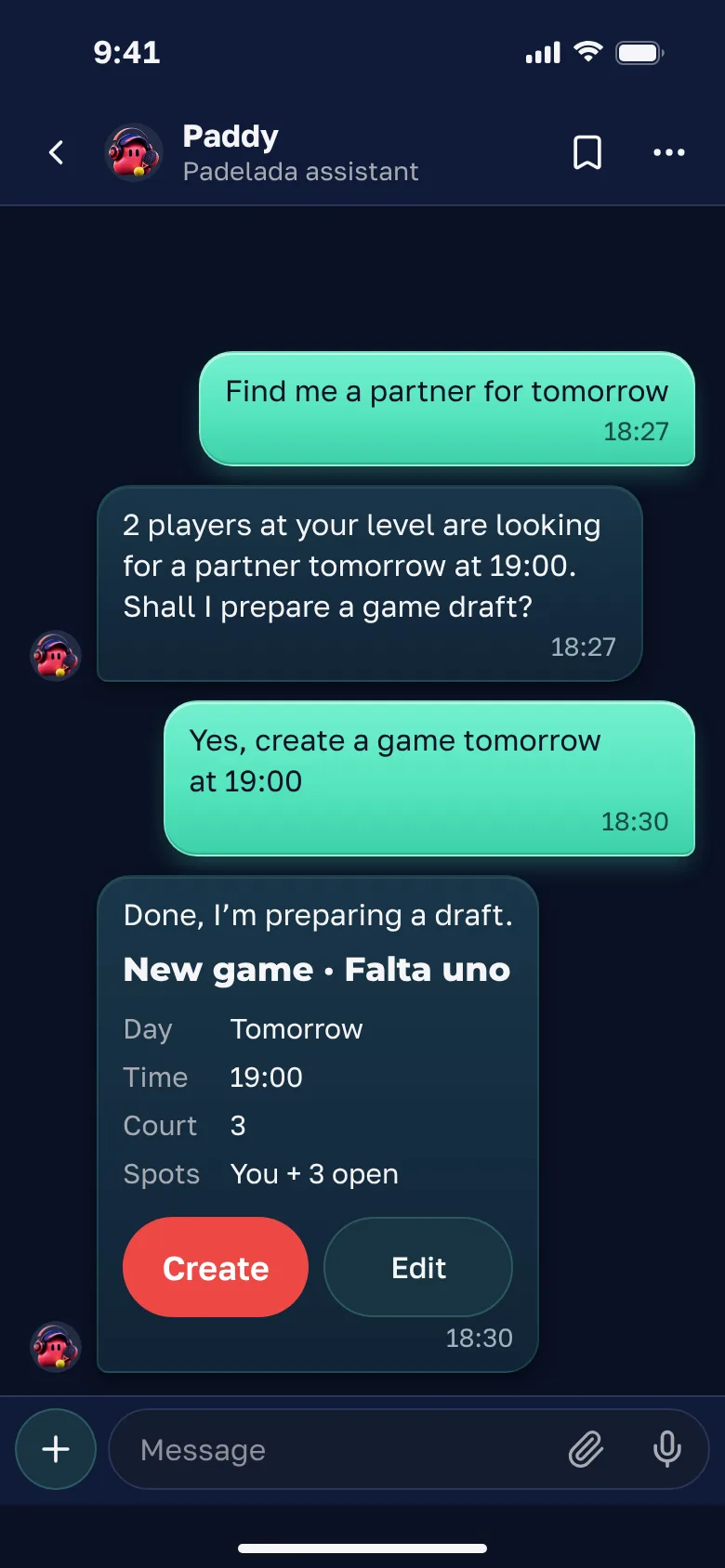
2. Paddy sends a “New game · Falta uno” card. Check the day, time and spots and tap “Create”. Tap “Edit” to change it before creating.
Creating a game for you is part of Plus and Max. Until you tap “Create”, nothing happens.
How to invite players through Paddy
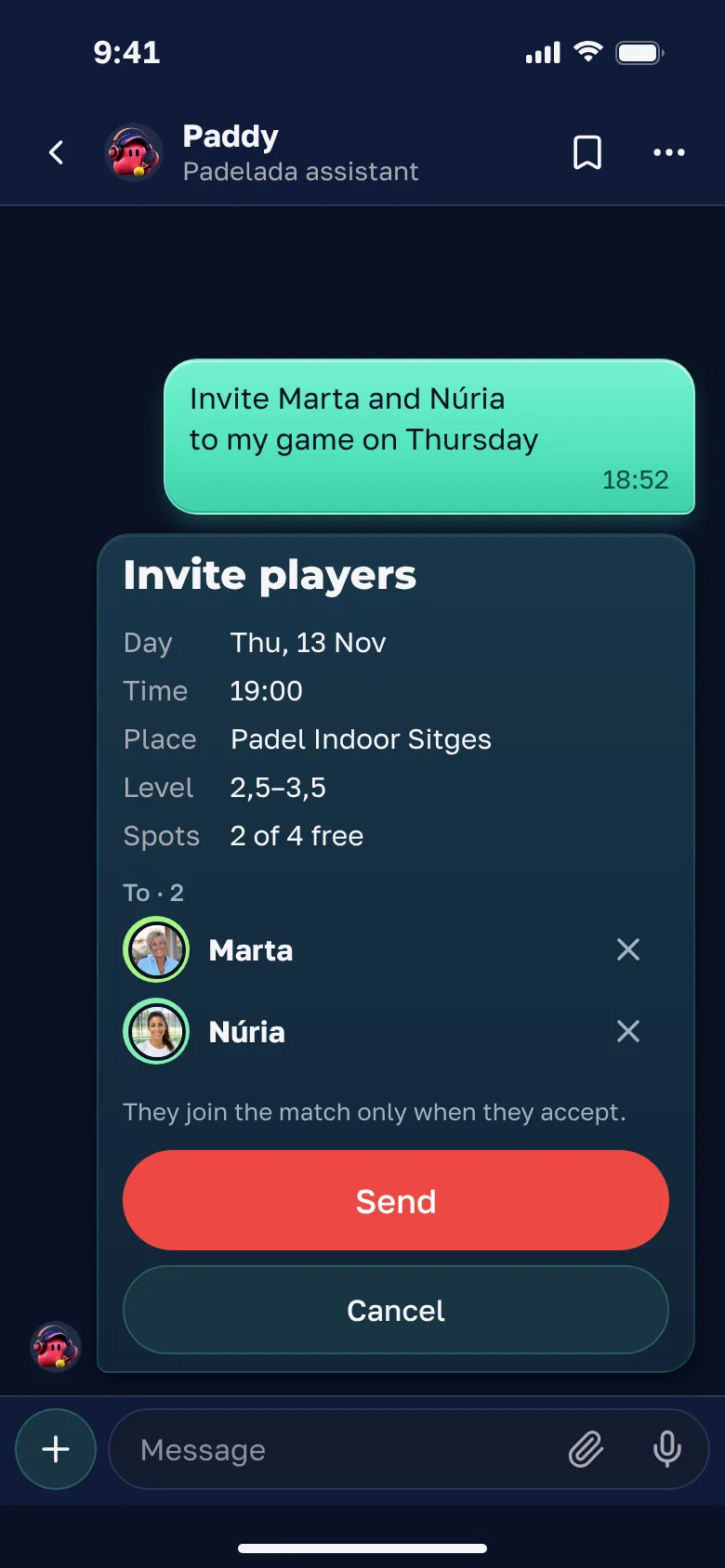
1. Ask: “Invite Marta and Núria to my game on Thursday”. The card shows the game details and who the invitation goes to. Remove anyone extra with the cross.
2. Tap “Send”. Players join the game only when they accept the invitation themselves.
One invitation covers at most three people, and no more than the free spots. Inviting for you is part of Plus and Max.
How to ask Paddy about a chat
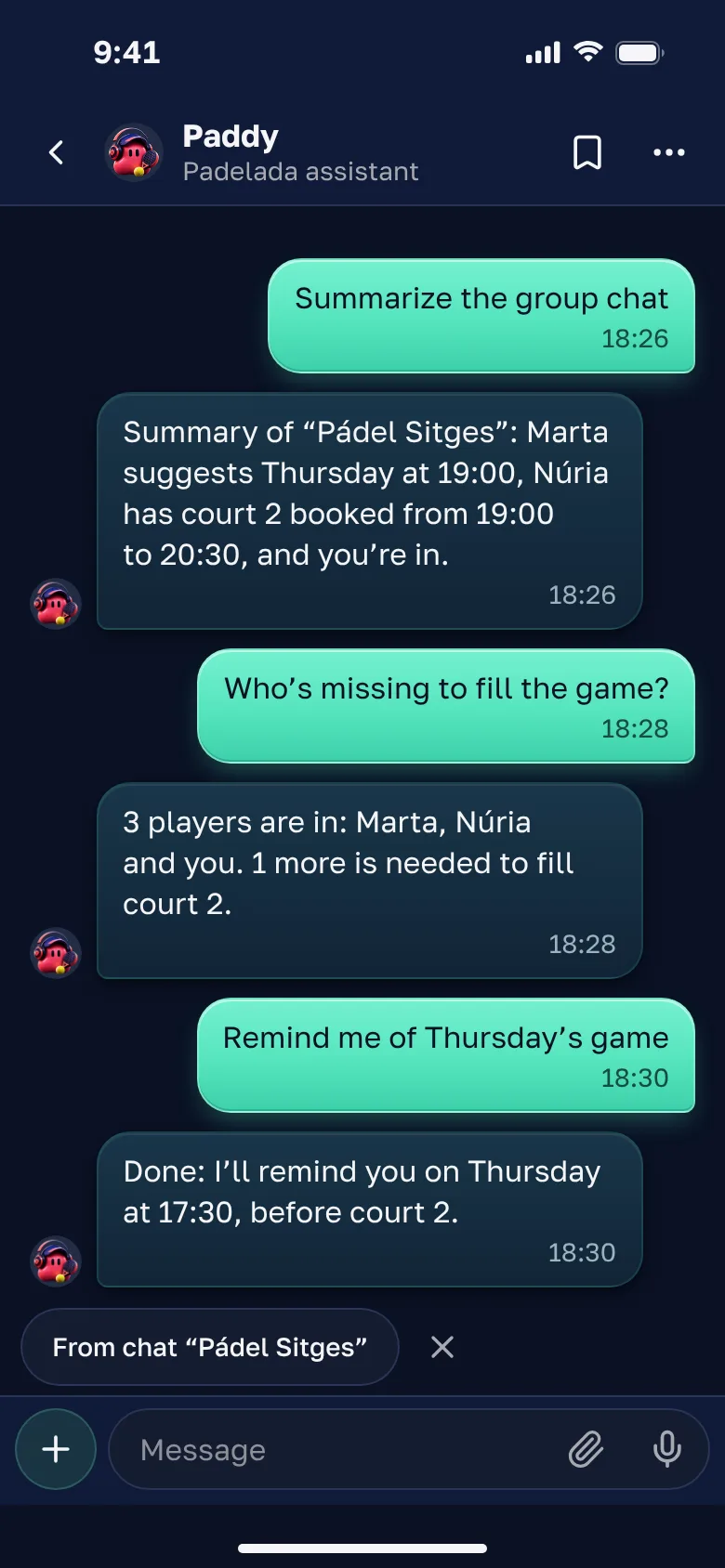
1. Ask: “Summarize the group chat”. A “From chat” tag with the chat’s name appears above the field, and Paddy takes that chat into account.
2. The cross next to it removes the tag: Paddy then answers without that chat.
Summarising a chat and reminders in a match chat are part of Plus and Max.
How to ask “Write it for me”
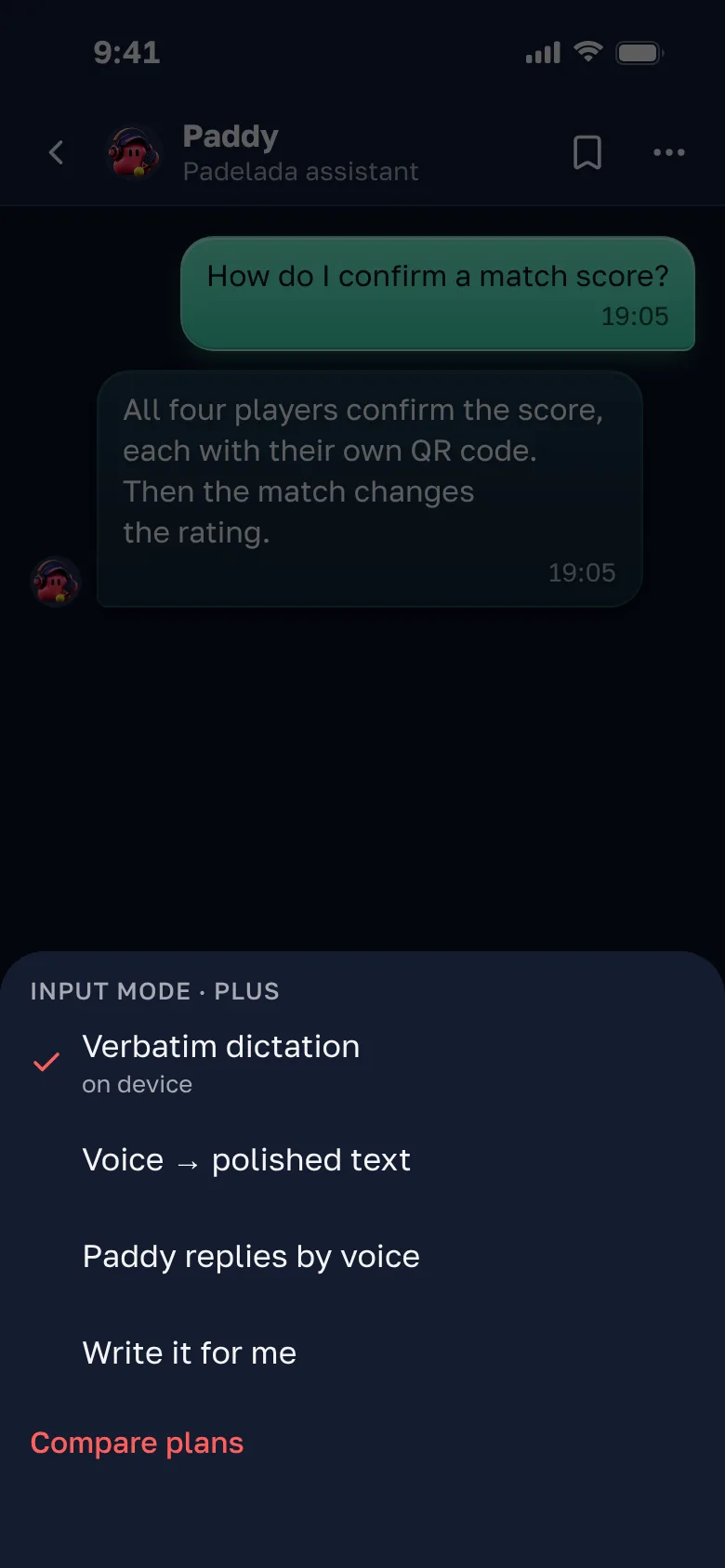
1. Tap the microphone in the Paddy field and choose “Write it for me”. “Write in the chat:” appears in the field: add where to write and what to say.
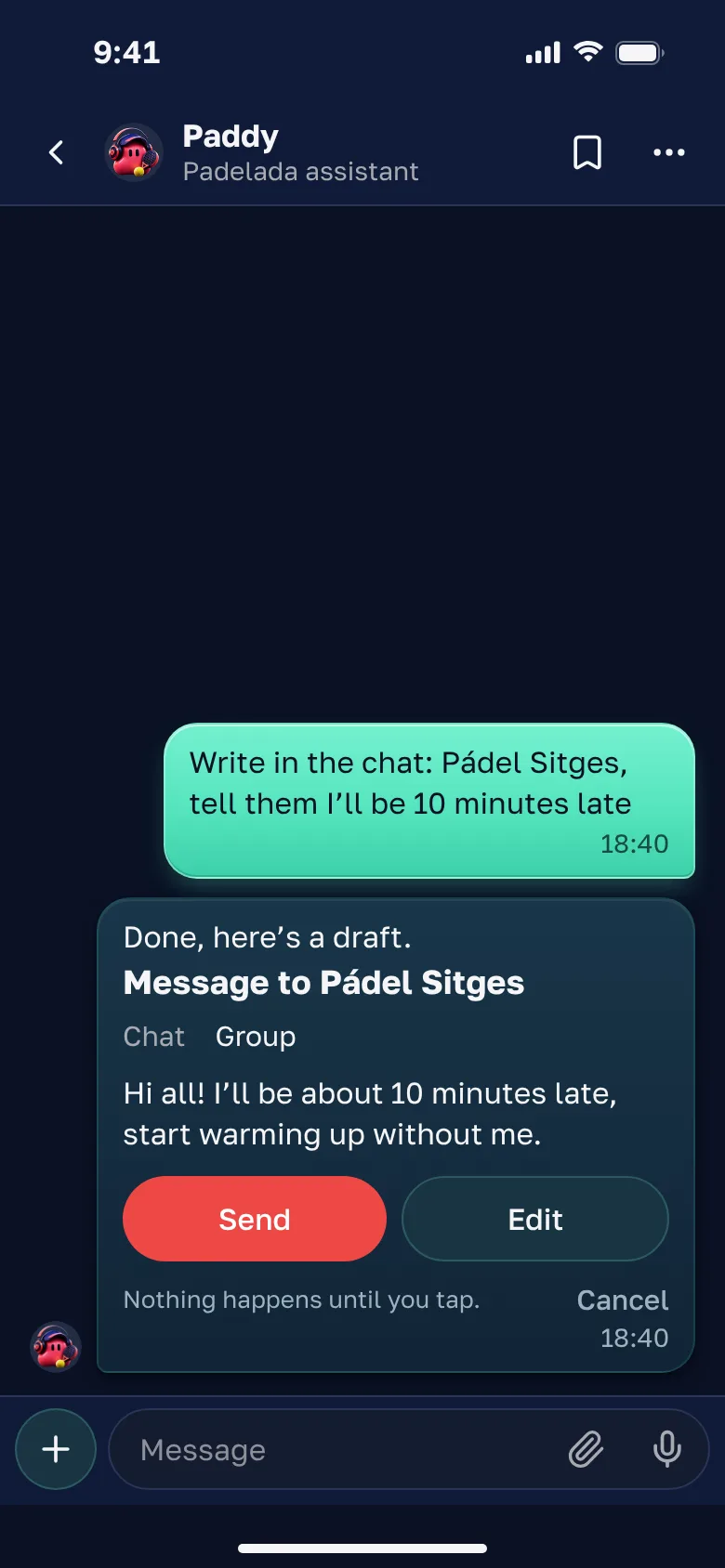
2. Paddy sends a draft titled “Message to …”. Tap “Send” and the message goes to the chat in your name.
3. “Edit” lets you change the text before sending. “Cancel” sends nothing.
“Write it for me” is part of Plus and Max. On Free, the menu item is locked and marked “Plus”, and you write in chats as usual.
How to send Paddy a photo or video
1. Tap the paperclip in the Paddy field.
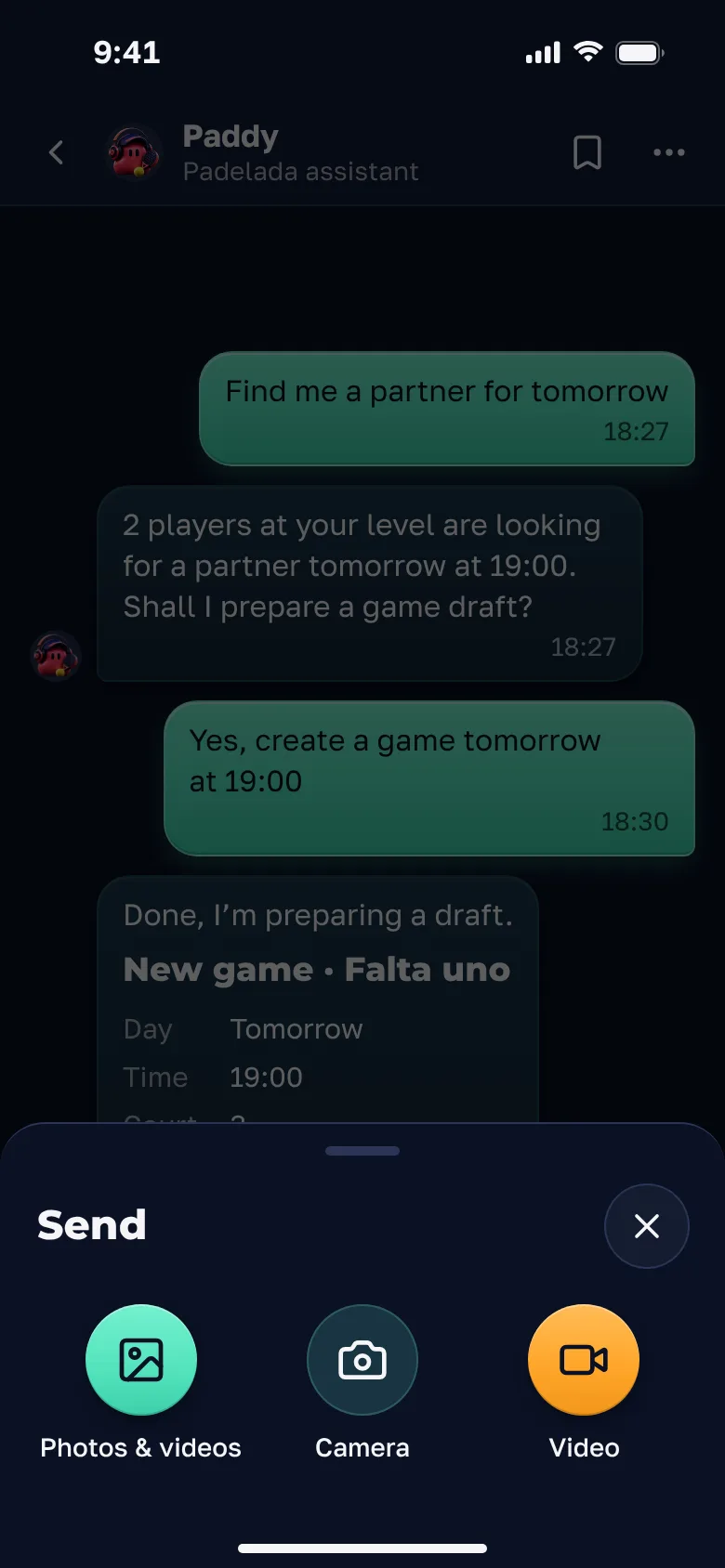
2. Choose “Photos & videos”, “Camera” or “Video”. Video can be up to 30 seconds.
Photos and video for Paddy are part of Plus and Max. Paddy doesn’t open documents: send a photo or write it out as text.
How to see what Paddy remembers
1. Tap the bookmark at the top right to open “Paddy’s memory”.
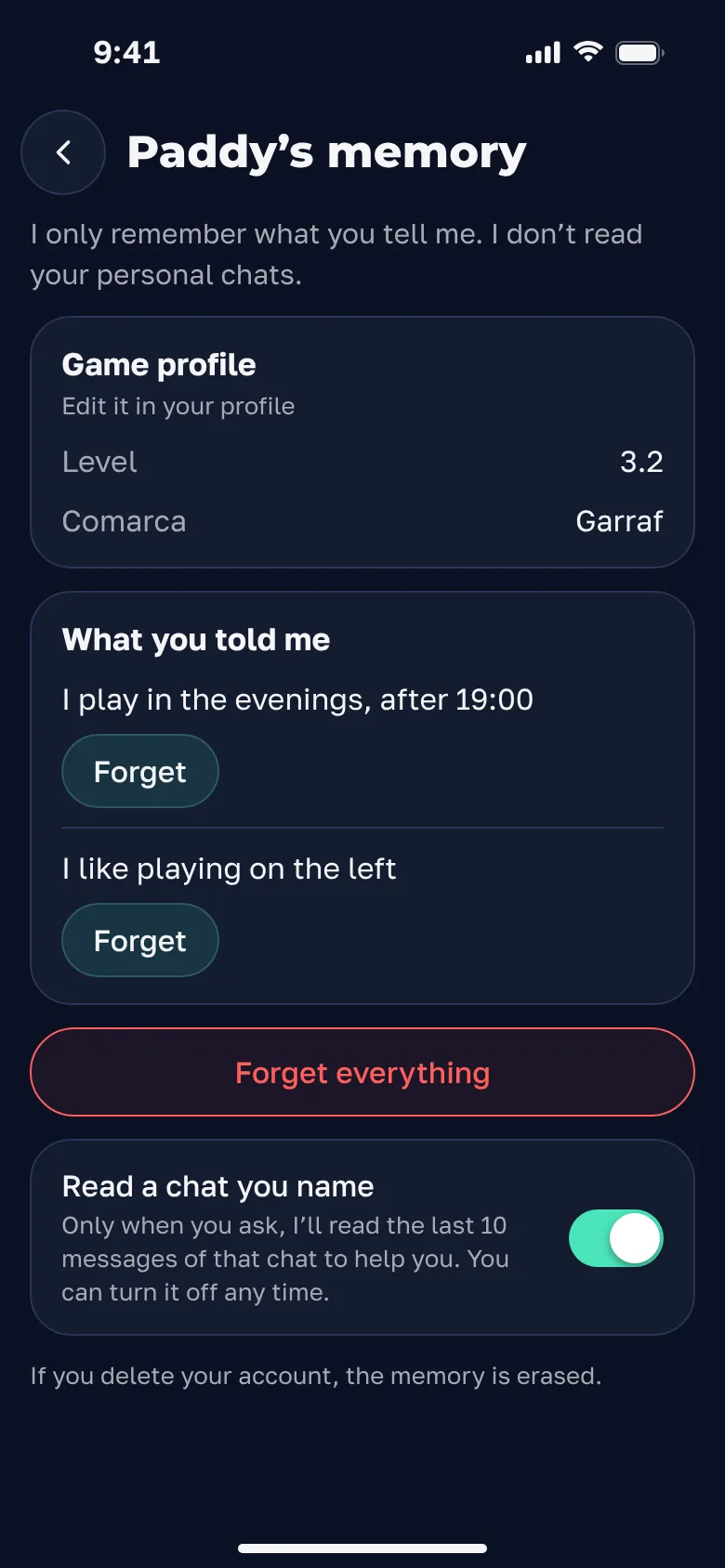
2. The “What you told me” section lists everything Paddy remembered from your conversations. “Forget” removes a single item.
3. “Forget everything” wipes it all at once. Your game profile does not change.
Paddy remembers only what you told it, and doesn’t read your personal chats. The text of conversations is kept for 30 days to review complaints, then deleted.
What is in the Paddy menu
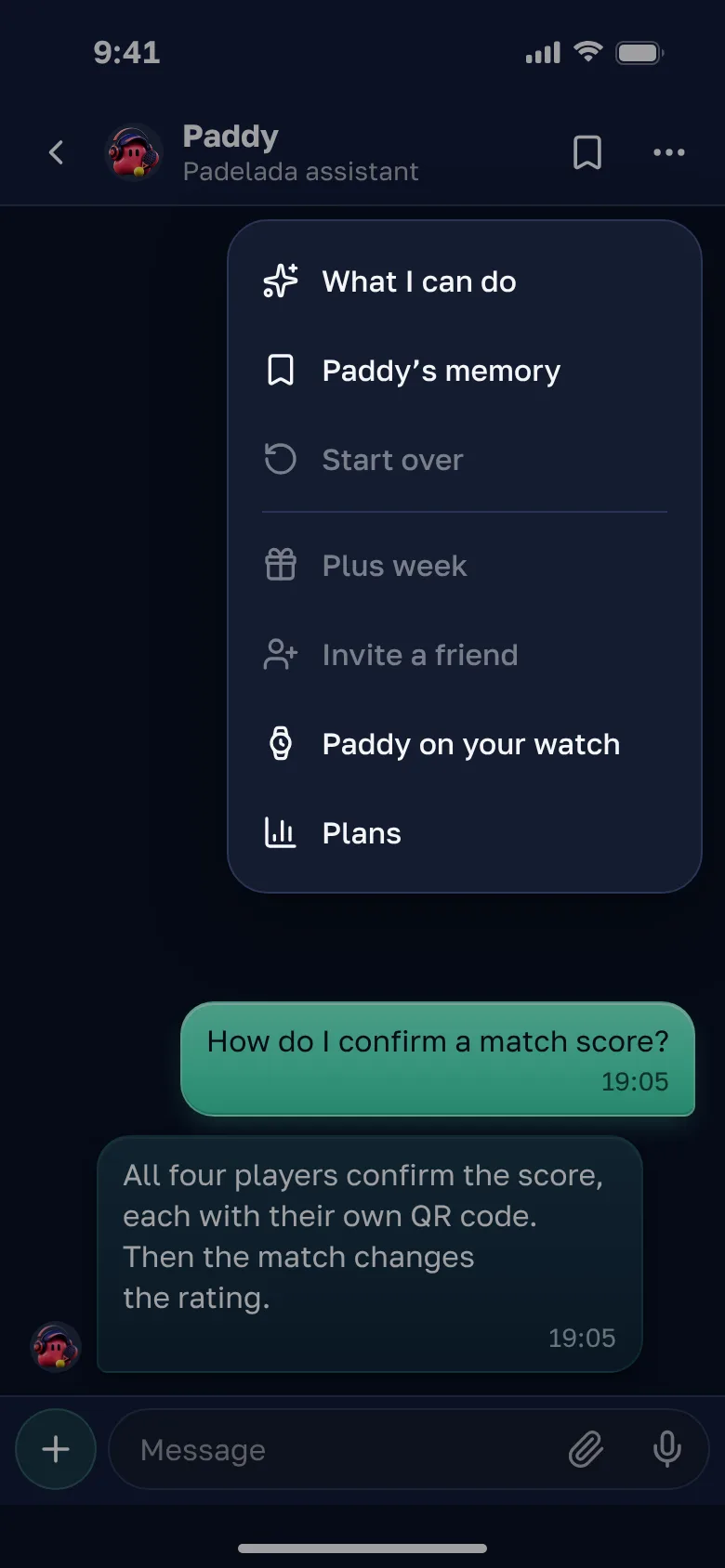
1. Tap “…” at the top right: you’ll find “What I can do” and “Paddy’s memory”.
2. “Paddy on your watch” shows how to create a game by voice from Apple Watch.
3. “Plans” compares Free, Plus and Max and lets you subscribe.
How to report a Paddy answer
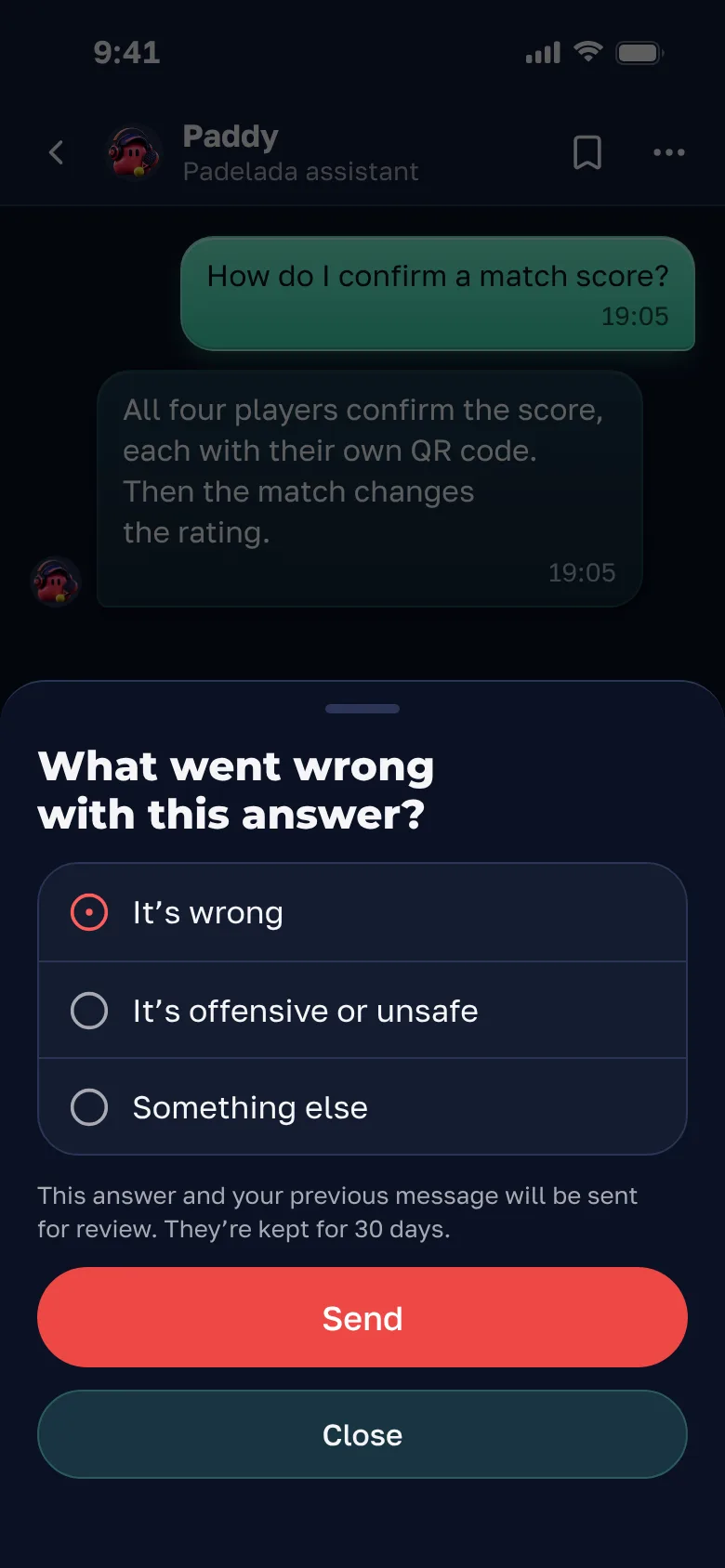
1. Tap a Paddy answer and hold.
2. Choose what went wrong: “It’s wrong”, “It’s offensive or unsafe” or “Something else”.
3. Tap “Send”.
This answer and your previous message are sent for review. They are kept for 30 days.
Frequently asked questions
Is Paddy free?
Help with the app is free, always: getting started, questions about the app, rules, which screen is where. Creating a game and inviting for you, summarising a chat, reminders, “Write it for me”, photos and video for Paddy, and the watch are part of Plus and Max.
Can Paddy do anything without me?
No. Paddy prepares a card or a draft and acts only after you tap: “Create”, “Send”. It never sends anything on its own.
Does Paddy read my chats?
Not your personal chats. A chat you name, only if “Read a chat you name” is on: then Paddy reads the last 10 messages to help you.
What does Paddy remember?
Only what you told it: for example, when you like to play. You can see all of it in “Paddy’s memory”, and forget one item or everything at once. If you delete your account, the memory is erased.
Can Paddy be wrong?
Yes, it is an AI assistant, not a person. Check its answers before acting. Send a wrong answer for review: hold it and choose a reason.
Is there Paddy on Apple Watch?
Yes, in Plus and Max. Tell your watch: “Create a game tomorrow at 19:00”. Paddy sends a card: tap “Start”. Without a tap, nothing happens.
Does Paddy need the internet?
Yes. With no connection, Paddy shows “No connection” and a “Retry” button.
How old do I have to be to use Paddy?
18 or over.
Where is everything in the app?
There are five tabs at the bottom of the screen. “Home”: “Playing now”, your last game, “My games” and what’s happening in your comarca. “Games”: all your games (“Mine”) and games, tournaments and club news nearby (“In your comarca”). “Chats”: your comarca, groups, clubs, direct chats and Paddy. “Clubs”: your clubs and club search. “Profile”: level, rating and settings. Can’t find a screen? Ask Paddy.